
Sublist3r is a Python tool designed to enumerate subdomains of websites using OSINT. It helps penetration testers and bug hunters collect and gather subdomains for the domain they are targeting. Sublist3r enumerates subdomains using many search engines such as Google, Yahoo, Bing, Baidu, and Ask. Sublist3r also enumerates subdomains using Netcraft, Virustotal, ThreatCrowd, DNSdumpster, and ReverseDNS.
subbrute was integrated with Sublist3r to increase the possibility of finding more subdomains using bruteforce with an improved wordlist. The credit goes to TheRook who is the author of the subbrute.
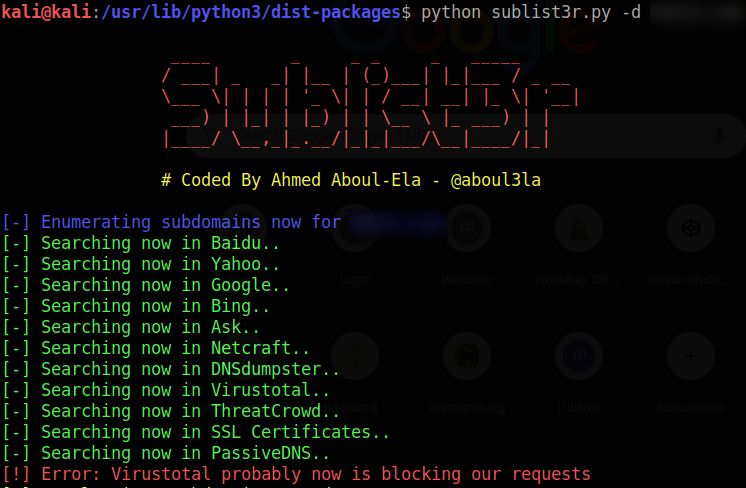
This document explains how to install, run, and clean up Sublist3r when it is installed directly from the official GitHub repository.
The commands below were tested on:
- OS: Ubuntu 22.04.5 LTS
- Kernel: GNU/Linux 5.15.0-161-generic x86_64
- Tool: Sublist3r from GitHub (
https://github.com/aboul3la/Sublist3r.git)
Make sure your system is up to date and that you have the basic tools installed.
sudo apt update
sudo apt upgrade -y
Install Git, Python 3 and pip:
sudo apt install -y git python3 python3-pipOptional but recommended: create a Python virtual environment so that Sublist3r’s dependencies are isolated from the rest of the system.
sudo apt install -y python3-venvChoose a directory where you want to store the tool (for example, your home folder) and clone the repository:
cd ~
git clone https://github.com/aboul3la/Sublist3r.git
cd Sublist3r
At this point, the Sublist3r source code is in ~/Sublist3r.
If you want to keep Sublist3r’s Python packages separate, create a virtual environment inside the Sublist3r folder:
cd ~/Sublist3r

python3 -m venv venv
source venv/bin/activate
When the virtual environment is active, your shell prompt will usually start with (venv).
To deactivate it later, you can simply run:
deactivateSublist3r’s Python dependencies are listed in requirements.txt. Install them with:
cd ~/Sublist3r

# If using the virtual environment:
# source venv/bin/activate

pip3 install -r requirements.txt
If you are inside the virtual environment, you can simply use pip:
pip install -r requirements.txtFrom inside the Sublist3r directory:
cd ~/Sublist3r

# If you created a virtual environment:
# source venv/bin/activate

python3 sublist3r.py -h
The -h option shows the help message and confirms that the tool is working.
Enumerate subdomains for a domain:
python3 sublist3r.py -d example.comEnumerate subdomains and show verbose output:
python3 sublist3r.py -d example.com -vEnumerate subdomains and save the results to a file:
python3 sublist3r.py -d example.com -o example_subdomains.txtEnumerate subdomains and scan only a few ports (for example, 80 and 443):
python3 sublist3r.py -d example.com -p 80,443Important: Use Sublist3r only on domains you own or are explicitly authorized to test. Unauthorized scanning may be illegal.
If you prefer to run Sublist3r from any directory using a short command, you can create a symbolic link.
- Ensure the script is executable:
cd ~/Sublist3r
chmod +x sublist3r.py- Create a symbolic link in
/usr/local/bin:
sudo ln -s ~/Sublist3r/sublist3r.py /usr/local/bin/sublist3rAfter this, you can run Sublist3r from anywhere:
sublist3r -d example.comIf you used a virtual environment, remember that global usage via a symlink works best when dependencies are installed system-wide (without the venv). If you prefer isolation, run Sublist3r from within the virtual environment instead.
If you want to remove Sublist3r and clean up your system, follow the steps that match how you installed it.
If you no longer need the tool, simply delete the folder:
rm -rf ~/Sublist3rIf you created the virtual environment inside ~/Sublist3r, it will be removed together with the folder.
If you created a symlink in /usr/local/bin, remove it:
sudo rm /usr/local/bin/sublist3rIf you installed Sublist3r’s dependencies globally using pip3 install -r requirements.txt, they will remain installed even after deleting the folder.
You can remove them manually, for example:
pip3 uninstall requests dnspython -yWarning: Only uninstall packages if you are sure they are not used by other applications or tools on your system.
If you installed Sublist3r inside a virtual environment, cleaning up is easier:
-
Deactivate the venv if it is active:
deactivate
-
Delete the
venvdirectory (if it still exists):rm -rf ~/Sublist3r/venv
- Clone the repository:
git clone https://github.com/aboul3la/Sublist3r.git - (Optional) Create a virtual environment with
python3 -m venv venv - Install dependencies:
pip3 install -r requirements.txt - Run the tool:
python3 sublist3r.py -d example.com - Cleanup:
- Remove
~/Sublist3r - Remove the symlink in
/usr/local/bin(if created) - Optionally uninstall Python packages or simply delete the virtual environment
- Remove
This procedure has been verified on Ubuntu 22.04.5 LTS (GNU/Linux 5.15.0-161-generic x86_64).

Alternatives to Sublist3r Compatible with Ubuntu 22.04.5
This README provides a corrected, validated and realistic comparison of the best modern alternatives to Sublist3r for subdomain enumeration, all fully compatible with Ubuntu 22.04.5 LTS.
📌 Comparison Table
sudo apt install amassgo install github.com/tomnomnom/assetfinder@latestgo install github.com/projectdiscovery/subfinder/v2/cmd/subfinder@latestchmod +x→ move to$PATHgo install github.com/projectdiscovery/dnsx/cmd/dnsx@latest*Speed and accuracy are relative ratings based on practical field usage and public community benchmarks.
🧩 Suggested Workflows
Why this workflow?
🔧 Usage Examples
1. Fast OSINT Sweep (recommended for automation)
assetfinder example.com | dnsx -silent -resp2. High-Accuracy Passive Enumeration
subfinder -d example.com -all -silent | dnsx -silent -resp3. Full Deep Recon (Red Team / Pentest)
🔄 Workflow Diagram
📘 Additional Notes
📥 Summary
This README includes a corrected, validated and realistic comparison of modern Sublist3r alternatives, with workflows, usage examples, and diagrams suitable for security engineers, Red Team operators and bug bounty hunters.