
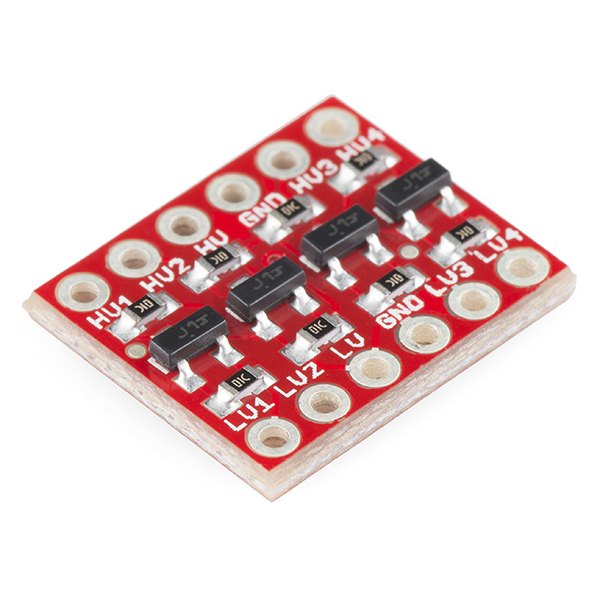
- Check here for the pinout. You will also need a 1.8V level shifter.
- Go to https://toolchains.bootlin.com
- Select arch: armv7-eabihf
- Select libc: glibc
- Download bleeding-edge
- Uncompress it (for example to
/opt) - Add the
bin/directory of the toolchain to$PATH- In my case:
export PATH=$PATH:/opt/armv7-eabihf--glibc--bleeding-edge-2023.08-1/bin
- In my case:
git clone git://git.buildroot.net/buildroot && cd buildroot- Download and copy this Buildroot
.configto.config - If using a toolchain path different than
/opt/armv7-eabihf--glibc--bleeding-edge-2023.08-1:make menuconfig- Navigate to
Toolchain ---> - Properly set the
Toolchain path, save and exit
- Create a
rootfs-overlaydirectory. Everything you put inside will be part of therootfs. make -j- This will generate
output/images/rootfs.cpio.xz
git clone https://github.com/xerpi/linux_vita.gitcd linux_vita && cp ../buildroot/output/images/rootfs.cpio.xz ./make ARCH=arm vita_defconfigmake ARCH=arm CROSS_COMPILE=arm-linux- -jmake ARCH=arm CROSS_COMPILE=arm-linux- vita1000.dtb vita2000.dtb pstv.dtb- This will generate
arch/arm/boot/zImageandarch/arm/boot/dts/{vita1000.dtb,vita2000.dtb,pstv.dtb}
4) Install vitasdk
git clone https://github.com/xerpi/vita-baremetal-loader.gitcd vita-baremetal-loader && make- This will generate
baremetal-loader.skprx
git clone https://github.com/xerpi/vita-libbaremetal.gitcd vita-libbaremetal/libbaremetal && make install
git clone https://github.com/xerpi/vita-baremetal-linux-loader.gitcd vita-baremetal-linux-loader && make- This will generate
vita-baremetal-linux-loader.bin
Two main methods: (a) a VPK that loads a kernel plugin, or (b) my fork of vitacompanion that has an custom command to load skprxes.
a. Plugin Loader VPK method:
git clone https://bitbucket.org/xerpi/vita_plugin_loader.gitcd vita_plugin_loader && mkdir build && cd build && cmake .. && make- Install
plugin_loader.vpk
b. vitacompanion method:
- Build and install vitacompanion
- To launch an skprx run:
echo "load_skprx ux0:/myplugin.skprx" | nc $PSVITAIP 1338
- Copy
baremetal-loader.skprxtoux0:data/tai/kplugin.skprx- Configurable in
vita_plugin_loader/main.c:13
- Configurable in
- Copy
vita-baremetal-linux-loader.bintoux0:/baremetal/payload.bin- Configurable in
vita-baremetal-loader/config.h
- Configurable in
- Copy
linux_vita/arch/arm/boot/zImagetoux0:/linux/zImage(uma0if using sd2vita) - Copy
linux_vita/arch/arm/boot/dts/{vita1000.dtb,vita2000.dtb,pstv.dtb}toux0:/linux/(uma0if using sd2vita) - Launch the Plugin Loader VPK
- Check https://github.com/xerpi/vita-linux-loader/blob/master/README.md
- Linux Driver status can be found here: https://wiki.henkaku.xyz/vita/Linux_Driver_Status
Install vitasdkgit clone git@github.com:xerpi/vita-linux-loader.gitcd vita-linux-loader && makeThis will generatelinuxloader.skprx


I have rebased the Vita port to the latest upstream Linux commit (6.6.0-rc3): https://github.com/xerpi/linux_vita/tree/rebase-6.6.0-rc3
When booting, sometimes it hangs at:
And sometimes it gets a bit further:
I suspect it's a problem related to the linux loader leaving stale data in the L2 data cache.