
NB: to list keys: gpg --list-keys
If you have the key, delete it
gpg --delete-key keyIDhereReplaceMeFetch it
gpg --keyserver keys.gnupg.net --recv-keys keyIDhereReplaceMeSign the key
gpg --sign-key --ask-cert-level keyIDhereReplaceMeHow to do: GPG will ask if you sign all keys. If yes, good. If no: select the numbers, type, one by one. The finish by "sign". And "quit".
Export it
gpg --armor --export keyIDhereReplaceMe > ./keyIDhereReplaceMe_signed.ascMail it ?
In this example my key is C4D91FDFCEF6B4A3C653FD7890A0EF1B8251A889
Import the file
gpg --import ./signatureOfYourKey.ascAfter importing it:
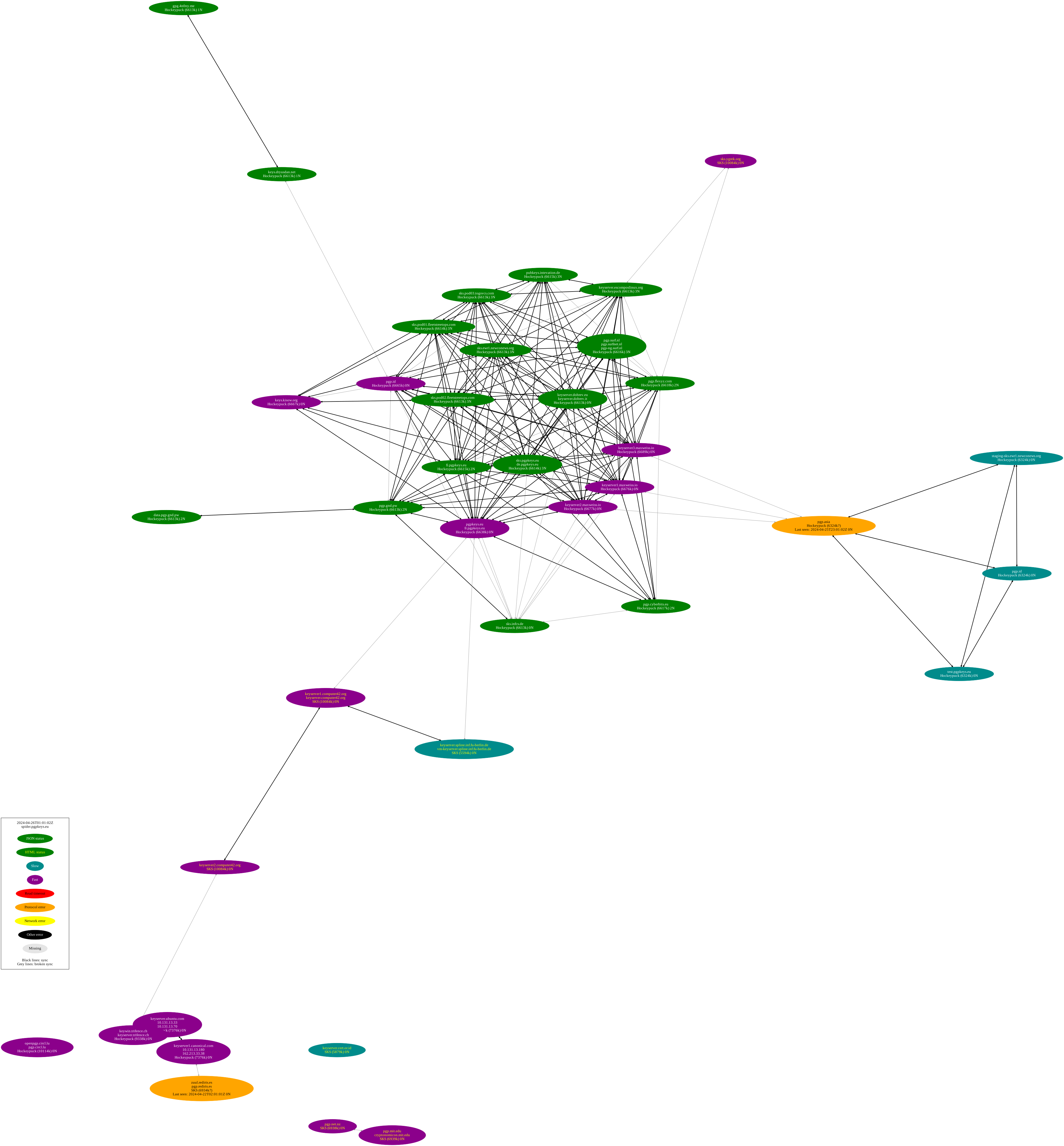
gpg --list-sig C4D91FDFCEF6B4A3C653FD7890A0EF1B8251A889Also works for your own key List of active servers: https://spider.pgpkeys.eu/graphs/walk-sks.green.dot.svg (https://spider.pgpkeys.eu/graphs/)
KEY_ID="C4D91FDFCEF6B4A3C653FD7890A0EF1B8251A889"
gpg --keyserver keys.gnupg.net --send-key ${KEY_ID}
gpg --keyserver keyserver.ubuntu.com --send-key ${KEY_ID}
gpg --keyserver pgp.circl.lu --send-key ${KEY_ID}
gpg --keyserver keys.openpgp.org --send-key ${KEY_ID}
gpg --keyserver pgpkeys.eu --send-key ${KEY_ID}
gpg --keyserver pgp.mit.edu --send-key ${KEY_ID}
gpg --keyserver keyserver.cert.or.id --send-key ${KEY_ID}
gpg --keyserver keyserver2.computer42.org --send-key ${KEY_ID}
unset KEY_ID
If you are a Debian developer, please upload it on Debian's keyring (https://keyring.debian.org/) gpg --keyserver keyring.debian.org --send-keys C4D91FDFCEF6B4A3C653FD7890A0EF1B8251A889
You also may want to upload it onto this web interfaces:
- https://keys.openpgp.org/
- https://keyserver.ubuntu.com/
- https://pgp.circl.lu/
- https://keyserver.pgp.com/
- https://pgpkeys.eu/
- https://pgp.mit.edu/ (When it is online)
- http://keyserver2.computer42.org/
Go to keybase, upload it or use the CLI keybase pgp update.
Go to keyserver.pgp.com try hard, try again, fail, key is too large..
Go to http://a.keyserver.alteholz.eu:11371/ and upload it.
mkdir /tmp/key-check
cd /tmp/key-check

# Easy way
mkdir /tmp/key-check/gpg
chmod 700 /tmp/key-check/gpg
gpg --home /tmp/key-check/gpg --keyserver hkps://keyring.debian.org:443 --recv-keys ${KEY_ID}
gpg --home /tmp/key-check/gpg --list-keys ${KEY_ID}

# Complicated way
mkdir /tmp/key-check/gpg
chmod 700 /tmp/key-check/gpg
rsync -az --progress keyring.debian.org::keyrings/keyrings/*.pgp /tmp/key-check/
gpg --home /tmp/key-check/gpg --import /tmp/key-check/debian-keyring.pgp
gpg --home /tmp/key-check/gpg --import /tmp/key-check/debian-maintainers.pgp
gpg --home /tmp/key-check/gpg --import /tmp/key-check/debian-nonupload.pgp
# Special Debian keys: gpg --home /tmp/key-check/gpg --import /tmp/key-check/debian-role-keys.pgp
You will find that the easy way and the complicated way to get keys are not always in sync. It must be because https://salsa.debian.org/debian-keyring/keyring is not yet updated
wcurl "https://pgpkeys.eu/pks/lookup?search=John%20Doe&fingerprint=on&exact=on&options=mr&op=index" -O - | grep -F "pub:" | grep -v -F "::r" | cut -d: -f 2
# Import them all
wcurl "https://pgpkeys.eu/pks/lookup?search=Andreas%20Tille&fingerprint=on&exact=on&options=mr&op=index" -O - | grep -F "pub:" | grep -v -F "::r" | cut -d: -f 2 | xargs gpg --keyserver pgpkeys.eu --recv-key