
-
-
Save tacaswell/3144287 to your computer and use it in GitHub Desktop.
| import matplotlib.pyplot as plt | |
| def zoom_factory(ax,base_scale = 2.): | |
| def zoom_fun(event): | |
| # get the current x and y limits | |
| cur_xlim = ax.get_xlim() | |
| cur_ylim = ax.get_ylim() | |
| # set the range | |
| cur_xrange = (cur_xlim[1] - cur_xlim[0])*.5 | |
| cur_yrange = (cur_ylim[1] - cur_ylim[0])*.5 | |
| xdata = event.xdata # get event x location | |
| ydata = event.ydata # get event y location | |
| if event.button == 'up': | |
| # deal with zoom in | |
| scale_factor = 1/base_scale | |
| elif event.button == 'down': | |
| # deal with zoom out | |
| scale_factor = base_scale | |
| else: | |
| # deal with something that should never happen | |
| scale_factor = 1 | |
| print event.button | |
| # set new limits | |
| ax.set_xlim([xdata - cur_xrange*scale_factor, | |
| xdata + cur_xrange*scale_factor]) | |
| ax.set_ylim([ydata - cur_yrange*scale_factor, | |
| ydata + cur_yrange*scale_factor]) | |
| ax.figure.canvas.draw_idle() # force re-draw the next time the GUI refreshes | |
| fig = ax.get_figure() # get the figure of interest | |
| # attach the call back | |
| fig.canvas.mpl_connect('scroll_event',zoom_fun) | |
| #return the function | |
| return zoom_fun |


Yes, but you must use either %matplotlib notebook or %matplotlib widget which should "just work". If you are using %matplotlib inline it will not work (because that is not an interactive backend).

There's a small caveat to "just working" in the notebook - the widget backend doesn't have an option capture scroll events so you will end up scrolling the entire notebook while also zooming:
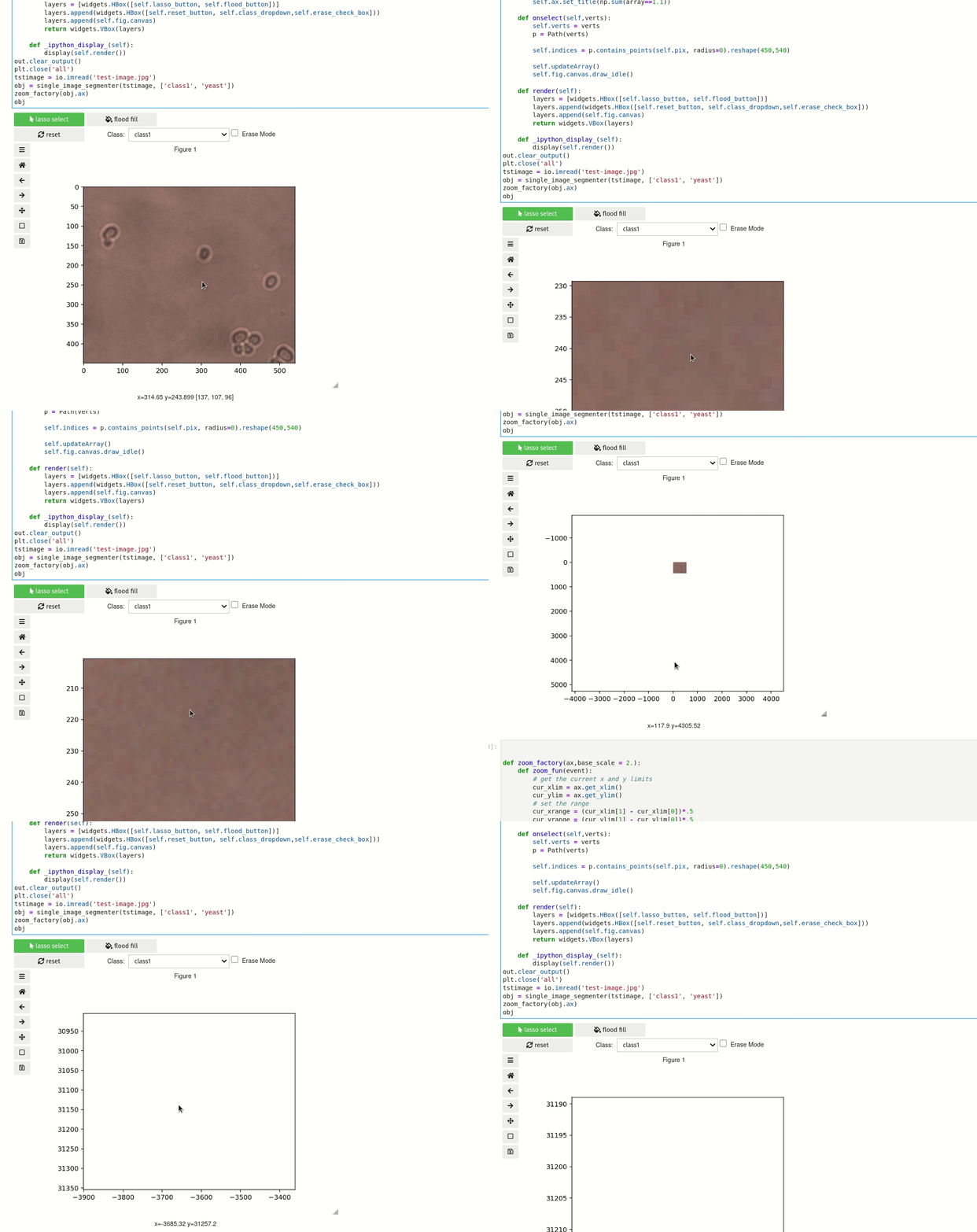
The workaround I used for this was to to use jupyterlab sidecar widget to display the plot as that won't have a scroll bar so it doesn't matter that the scroll input wasn't captured. Long term - I opened an issue and PR about this matplotlib/ipympl#222 that I think would fix this.
Also I think you will need to install the widget backend (https://github.com/matplotlib/ipympl#installation) as that isn't included with standard matplotlib
That is a fun bug! I left a review on your PR at ipympl.
Thanks!
For completeness for any future readers: The fix for scrolling in the notebook was merged and should be part of any release of ipympl after 0.5.6 (it is not in that release)

Hey, I tried to implement this in a wxPython Frame, but I keep getting a TypeError: zoom_fun() missing 1 required positional argument: 'event'. I know how to solve missing events in wxPython, but not in matplotlib. It should work because otherwise I wouldn't be getting the error on scrolling...
Edit: Turns out there is a work around, that only works if you're also pressing down the mouse wheel, not just scrolling with it...
@peroman200 Interesting, can you still reproduce that issue in mpl3.4?

License for your code?
Thanks
Can we implement this code in jupyter Notebook?
If yes, please explain.