# Forked from https://gist.github.com/gguerini
# Syntax edits by Sick Codes (GPLv3+)

# Disable menu bar transparency
defaults write NSGlobalDomain AppleEnableMenuBarTransparency -bool false

# Show remaining battery time; hide percentage
defaults write com.apple.menuextra.battery ShowPercent -string "NO"
defaults write com.apple.menuextra.battery ShowTime -string "YES"
Mert Akengin spacelatte
🤔

haircut
/ Disable-iCloud-Private-Relay.mobileconfig
Created
October 28, 2021 00:24
Disables the iCloud Private Relay feature.
This file contains hidden or bidirectional Unicode text that may be interpreted or compiled differently than what appears below. To review, open the file in an editor that reveals hidden Unicode characters.
Learn more about bidirectional Unicode characters
| <?xml version="1.0" encoding="UTF-8"?> | |
| <!DOCTYPE plist PUBLIC "-//Apple//DTD PLIST 1.0//EN" "http://www.apple.com/DTDs/PropertyList-1.0.dtd"> | |
| <plist version="1.0"> | |
| <dict> | |
| <key>PayloadContent</key> | |
| <array> | |
| <dict> | |
| <key>PayloadDisplayName</key> | |
| <string>Restrictions</string> | |
| <key>PayloadIdentifier</key> |


plivox
/ auto_switch_theme.py
Last active
April 24, 2025 15:45
Automatic iTerm2 preset switching on MacOS
This file contains hidden or bidirectional Unicode text that may be interpreted or compiled differently than what appears below. To review, open the file in an editor that reveals hidden Unicode characters.
Learn more about bidirectional Unicode characters
| #!/usr/bin/env python3 | |
| import asyncio | |
| import iterm2 | |
| THEME_LIGHT = "Tango Light" | |
| THEME_DARK = "Tango Dark" | |
| class AutoSwitchTheme: |

GetVladimir
/ Force-RGB-Color-on-M1-Mac.md
Last active
March 7, 2026 06:28
Force RGB Color on M1 Mac
How to Force RGB Color Output instead of YPbPr on your M1 Apple Silicon Mac for an External Monitor.
This step-by-step video tutorial will guide you through the procedure of forcing RGB color output on your M1 Mac.

Here is the direct link to the video tutorial: https://www.youtube.com/watch?v=Z1EqH3fd0V4
The video also has Closed Captions (Subtitles) that you can enable, to make it easier to follow if needed.

joepie91
/ freenode-faq.md
Last active
September 20, 2025 09:16
It's come to my attention that some people have been spamming issue trackers with a link to this gist. While it's a good idea to inform people of the situation in principle, please do not do this. By all means spread the word in the communities that you are a part of, after verifying that they are not aware yet, but unsolicited spam is not helpful. It will just frustrate people.
A number of things have happened since the last update.

This file contains hidden or bidirectional Unicode text that may be interpreted or compiled differently than what appears below. To review, open the file in an editor that reveals hidden Unicode characters.
Learn more about bidirectional Unicode characters
| package main | |
| import ( | |
| "context" | |
| "github.com/aws/aws-lambda-go/lambda" | |
| "github.com/aws/aws-sdk-go-v2/aws" | |
| "github.com/aws/aws-sdk-go-v2/config" | |
| "github.com/aws/aws-sdk-go-v2/service/ec2" | |
| "github.com/aws/aws-sdk-go-v2/service/ecs" | |
| "github.com/aws/aws-sdk-go-v2/service/elasticloadbalancingv2" |

luzhuomi
/ pocketchip_debian10.md
Last active
August 24, 2025 23:31
A tutorial to upgrade NXT pocket C.H.I.P to Debian Buster
The purpose of this tutorial is to walk through the required steps to upgrade NXT chip (or pocketchip) from debian jessie to debian buster.
If you would like to start your Chip from scratch, follow the steps in the Preparation section.
A linux host machine, recommended Ubuntu 18.04. However I managed to do it with 20.10 with some tweak.

ScientificProgrammer
/ RPiZeroW_eInk_WeatherConsole.md
Last active
January 22, 2025 22:17
A tiny weather display console using a Pi Zero W and PaPiRus 2" (200x96) eInk display

FILENAME: README.md
This code uses a Raspberry Pi Zero W to query the Open Weather Maps API, retrieve the current weather data for a location specified by the user, formats the response, and then displays it on a PaPiRus eInk display.
This code was based on code taken from a tutorial on the Adafruit website. The original code was written to work with an Adafruit eInk display. This version was modified to work with a 2.0" (200x96) PaPiRus eInk display attached to a Raspberry Pi Zero W.

raysan5
/ custom_game_engines_small_study.md
Last active
February 10, 2026 23:44
A small state-of-the-art study on custom engines
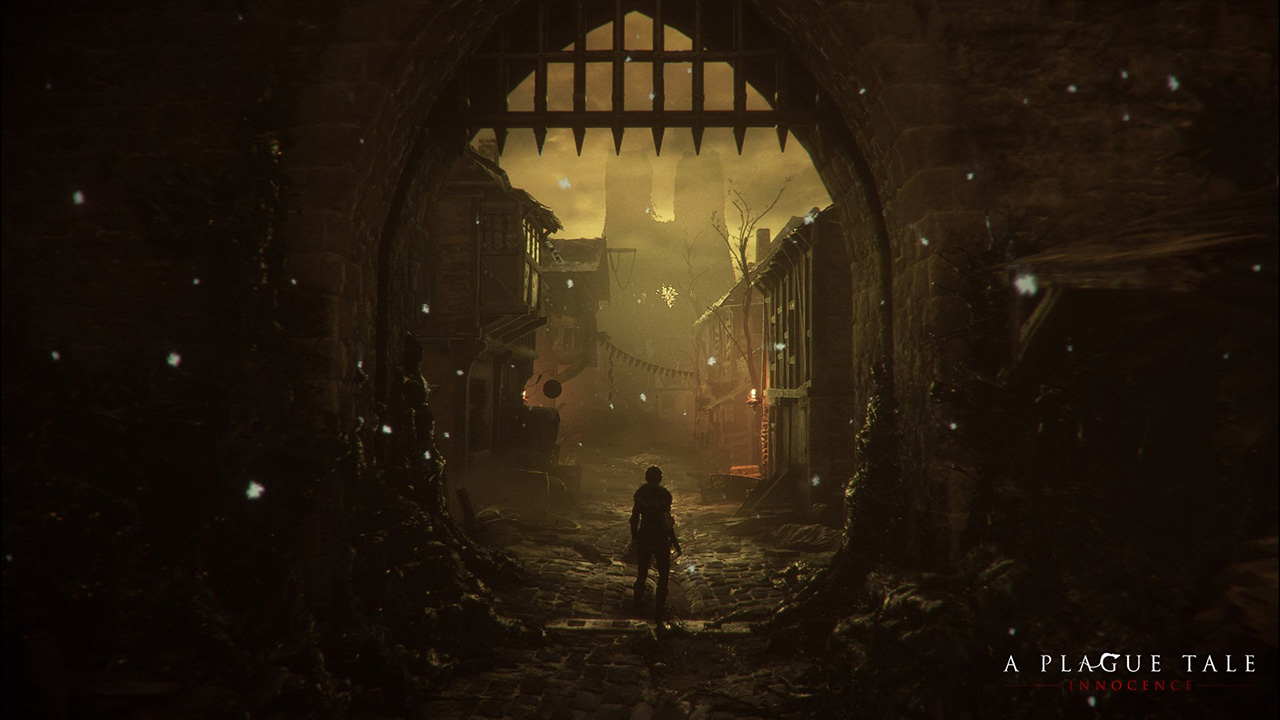
WARNING: Article moved to separate repo to allow users contributions: https://github.com/raysan5/custom_game_engines
A couple of weeks ago I played (and finished) A Plague Tale, a game by Asobo Studio. I was really captivated by the game, not only by the beautiful graphics but also by the story and the locations in the game. I decided to investigate a bit about the game tech and I was surprised to see it was developed with a custom engine by a relatively small studio. I know there are some companies using custom engines but it's very difficult to find a detailed market study with that kind of information curated and updated. So this article.
Nowadays lots of companies choose engines like [Unreal](https:

coolaj86
/ create-bootable-installer-for-os-x-el-capitan.sh
Last active
June 21, 2023 07:45
How to create a bootable El Capitan Installer from MacOS. See https://bootableinstaller.com
This file contains hidden or bidirectional Unicode text that may be interpreted or compiled differently than what appears below. To review, open the file in an editor that reveals hidden Unicode characters.
Learn more about bidirectional Unicode characters
| ################################################################################ | |
| # See bootableinstaller.com # | |
| ################################################################################ | |
| # set strict and verbose modes for bash | |
| set -e | |
| set -u | |
| # If the script already ran once successfully, don't re-run | |
| if [ -f "el-capitan.iso" ]; then |
NewerOlder