
On clicking the social network badge, it will redirect to the respective social network sites (e.g. LinkedIn, Twitter, Youtube, Instagram, etc).
LinkedIn: https://img.shields.io/badge/LinkedIn-blue?logo=linkedin&logoColor=white&style=for-the-badge
Twitter: https://img.shields.io/badge/Twitter-blue?style=for-the-badge&logo=twitter&logoColor=white
Youtube: https://img.shields.io/badge/YouTube-red?style=for-the-badge&logo=youtube&logoColor=white
So to put on your GitHub README:
<div id="badges">
  <a href="your-linkedin-URL">
    <img src="https://img.shields.io/badge/LinkedIn-blue?style=for-the-badge&logo=linkedin&logoColor=white" alt="LinkedIn Badge"/>
  </a>
  <a href="your-youtube-URL">
    <img src="https://img.shields.io/badge/YouTube-red?style=for-the-badge&logo=youtube&logoColor=white" alt="Youtube Badge"/>
  </a>
  <a href="your-twitter-URL">
    <img src="https://img.shields.io/badge/Twitter-blue?style=for-the-badge&logo=twitter&logoColor=white" alt="Twitter Badge"/>
  </a>
</div>Additionally, there is a GitHub profile view counter. It counts the number of visits your GitHub profile gets. I wonder if there is a view counter for Kaggle portfolio🤔
There is another streak stats project that tracks your GitHub with the following statistics:
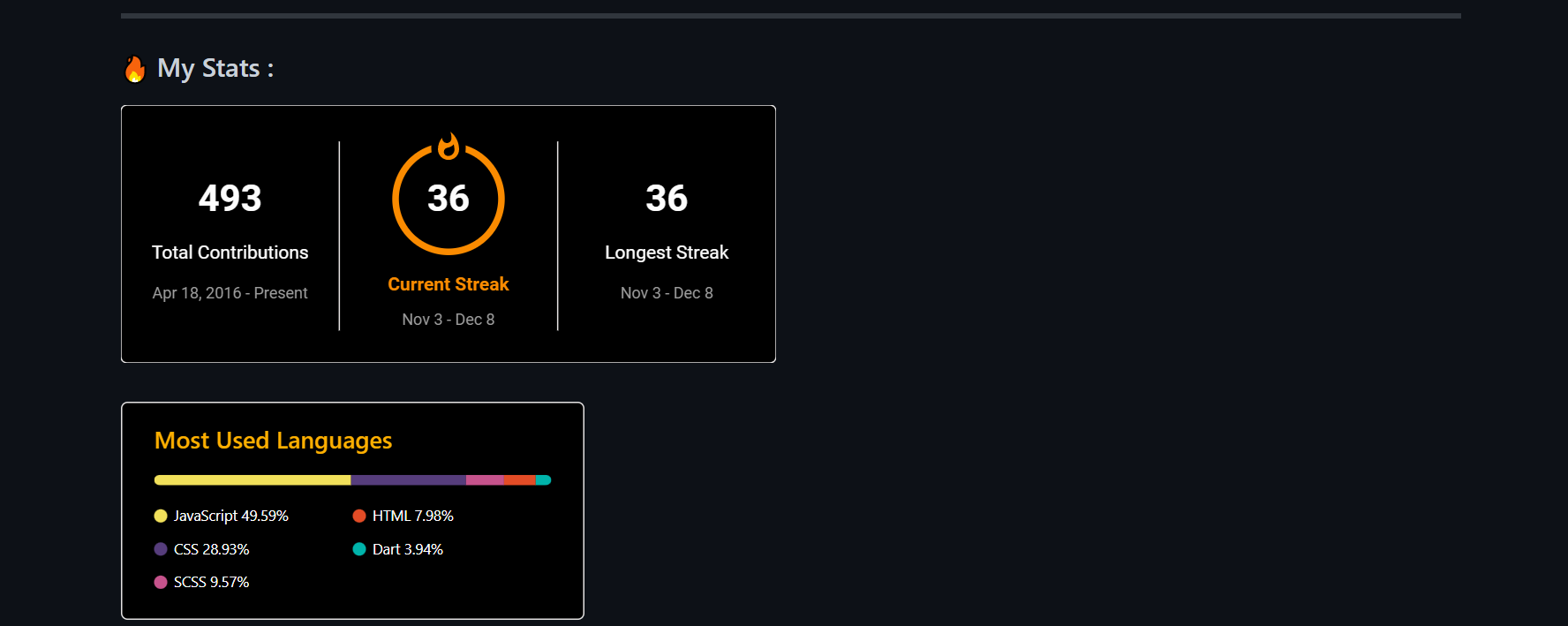
- total number of contributions by a user
- longest streak of contributions for a user
- current streak stat for a user
[](https://git.io/streak-stats)We can also add customizations like theme, background, color, and so on by visiting the Streak Stats Website to generate URLs.
- Enter your GitHub username
- Click on Submit button
- Click on the Copy To Clipboard button, which is the website link part in
README.md
The last open-source project is Top Langs, which provides the most languages you use. You can refer to my GitHub for other features this project displays. To use top programming languages:
[](https://github.com/anuraghazra/github-readme-stats)