
This is a sample script for sending Gmail with the title and body including Emoji using Google Apps Script.
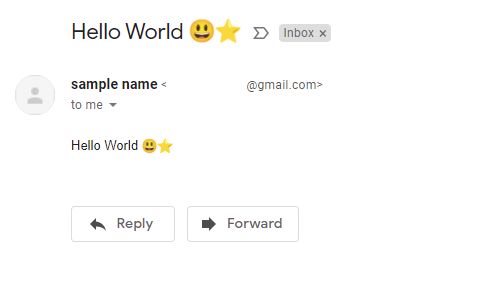
This sample script uses Gmail API. So please enable Gmail API at Advanced Google services. Ref
const convert_ = ({ to, emailFrom, nameFrom, subject, textBody, htmlBody }) => {
  const boundary = "boundaryboundary";

  // Helper function for Base64 encoding
  const base64Encode = (str) => {
    try {
      // Use btoa for basic Base64 encoding
      return btoa(unescape(encodeURIComponent(str)));
    } catch (e) {
      console.error('Error in base64Encode:', e);
      return null;
    }
  };

  // Helper function for web-safe Base64 encoding
  const base64EncodeWebSafe = (str) => {
    const encoded = base64Encode(str);
    if (encoded === null) {
      return null;
    }
    return encoded.replace(/\+/g, '-').replace(/\//g, '_').replace(/=+$/, '');
  };

  const mailData = [
    `MIME-Version: 1.0`,
    `To: ${to}`,
    nameFrom && emailFrom ? `From: "${nameFrom}" <${emailFrom}>` : "",
    `Subject: =?UTF-8?B?${base64Encode(subject)}?=`,
    `Content-Type: multipart/alternative; boundary=${boundary}`,
    ``,
    `--${boundary}`,
    `Content-Type: text/plain; charset=UTF-8`,
    ``,
    textBody,
    ``,
    `--${boundary}`,
    `Content-Type: text/html; charset=UTF-8`,
    `Content-Transfer-Encoding: base64`,
    ``,
    base64Encode(htmlBody),
    ``,
    `--${boundary}--`,
  ].join("\r\n");

  return base64EncodeWebSafe(mailData);
};- In order to use Emoji in the subject, the subject value is converted to the base64 data. And, it is used as
=?UTF-8?B?###?=. Ref - About the method for including Emoji to the email body, this thread of Stackoverflow.