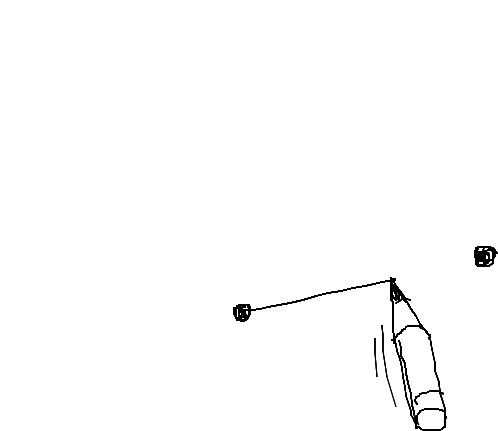
ABConnect will help you to connect graphically two HTML elements with smart dependency-free JavaScript lines.
MIT

ABConnect will help you to connect graphically two HTML elements with smart dependency-free JavaScript lines.
MIT
| // ABConnect, MIT | |
| // https://gist.github.com/raphaelbastide/157aaee7da6d2b761b2a | |
| var DEGREES = 180 / Math.PI; | |
| function createDiv(classname) { | |
| var div = document.createElement('div'); | |
| div.className = classname; | |
| document.body.appendChild(div); | |
| return div; | |
| } | |
| function elementVect(elt) { | |
| var rect = elt.getBoundingClientRect(); | |
| var centerH = (rect.left + rect.right) /2; | |
| var centerV = (rect.top + rect.bottom) /2; | |
| // return [rect.left , rect.bottom]; // to connect from bottom left | |
| return [centerH , centerV]; // to connect from box’s center | |
| } | |
| function renderLine(line, vec1, vec2) { | |
| // lineVec = vec1 - vec2 | |
| var lineVec = [vec1[0] - vec2[0], vec1[1] - vec2[1]]; | |
| // angle = invert lineVec, then get its angle in degrees | |
| var angle = Math.atan2(lineVec[1] * -1, lineVec[0] * -1) * DEGREES; | |
| // length of lineVec | |
| var length = Math.sqrt(lineVec[0] * lineVec[0] + lineVec[1] * lineVec[1]); | |
| line.style.top = vec1[1] + 'px'; | |
| line.style.left = vec1[0] + 'px'; | |
| line.style.width = length + 'px'; | |
| line.style.transform = 'rotate(' + angle + 'deg)'; | |
| } | |
| var aVec = null; | |
| var bVec = null; | |
| function draw(cla, clb, update) { | |
| var a = cla; | |
| var b = clb; | |
| var line = createDiv('line'); | |
| // Remove the requestAnimationFrame if you want the line to be always aligned (e.g. even when scrolling) | |
| // requestAnimationFrame(function() { | |
| if (update) { | |
| if (a === null || b === null ){ | |
| console.log('something missing'); | |
| aVec = [0,0]; | |
| bVec = [0,0]; | |
| }else{ | |
| aVec = elementVect(a); | |
| bVec = elementVect(b); | |
| } | |
| } | |
| renderLine(line, aVec, bVec); | |
| // }); | |
| } | |
| function abconnect(cla, clb){ | |
| console.log(cla, clb); | |
| draw(cla, clb, true); | |
| } |
| <!DOCTYPE html> | |
| <html> | |
| <head> | |
| <meta charset="utf-8"> | |
| <title>ABConnect</title> | |
| <link rel="stylesheet" href="style.css" type="text/css"/> | |
| </head> | |
| <body> | |
| <script src="abconnect.js"></script> | |
| <script> | |
| // For testing purposes | |
| var a = createDiv('point point-a'); | |
| var b = createDiv('point point-b'); | |
| // The magic happens here | |
| abconnect(a,b); | |
| // Run the fonction at scroll too | |
| window.addEventListener('scroll', function() { | |
| abconnect(a,b); | |
| }); | |
| </script> | |
| </body> | |
| </html> |
| body { | |
| min-height: 4000px; | |
| margin: 0; | |
| font-size:30px; | |
| font-family:sans-serif; | |
| } | |
| .point-a { | |
| position: fixed; | |
| top: 40%; | |
| left: 20px; | |
| } | |
| .point-a:after { | |
| content: 'A'; | |
| } | |
| .point-b { | |
| position: absolute; | |
| top: 2000px; | |
| right: 20px; | |
| } | |
| .point-b:after { | |
| content: 'B'; | |
| } | |
| .line { | |
| position: fixed; | |
| height: 1px; | |
| width: 1px; | |
| transform-origin: 0; | |
| background: black; | |
| } |