
-
If you haven't , Click here to open the playlist
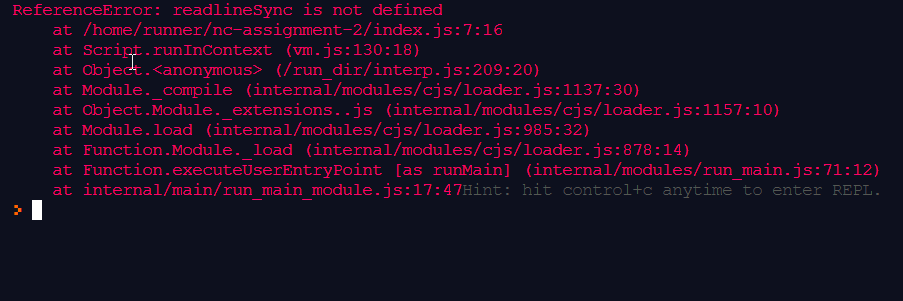
- make sure you have spelled the package name correctly
var readlineSync= require ('readline-sync');
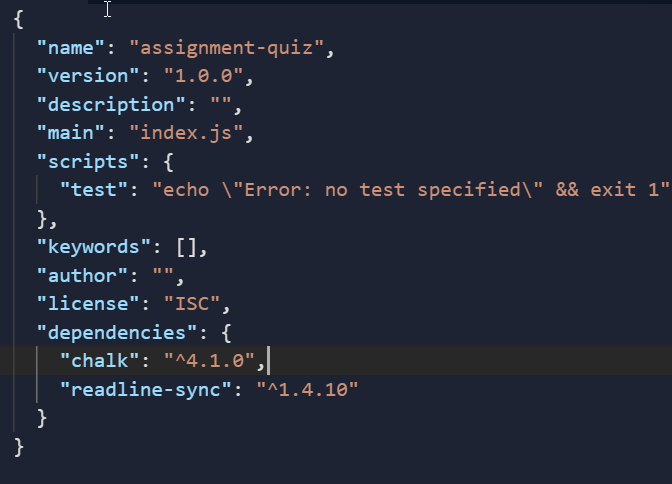
- make sure your
package.jsonfile have the required file installed
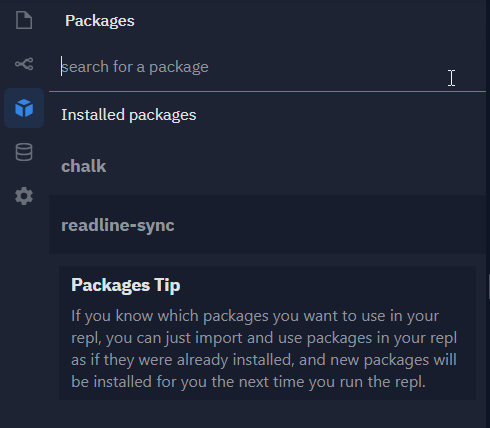
- If any package is not installed automatically in REPL, you can add it manually too
-
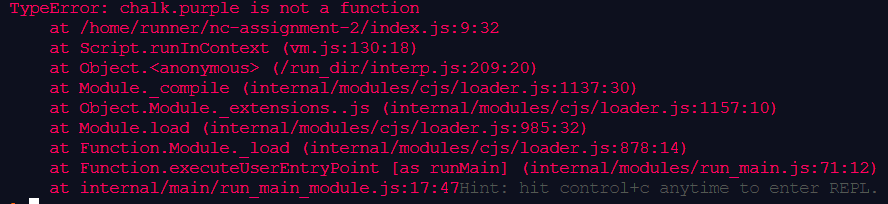
Before using the package, make sure to go through it's documentation page and compare the syntax
https://www.npmjs.com/package/{{ package-name }}
-
How to declare multiple choice questions?
- Using
keyInSelectfrom'readline-sync'Package . You can find out more about it here
- Using
-
How to print star patterns for assignments ?
-
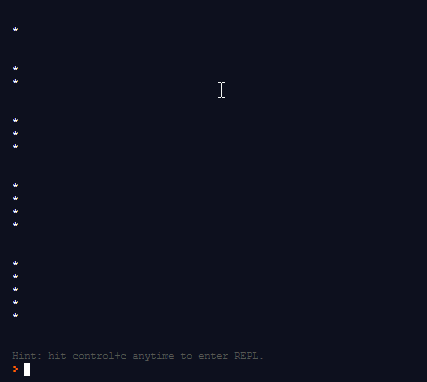
let me guess you have tried it already and it ended up looking something similar to this
-
It is because
console.log ( )prints in a new line by default for every iteration of loop . -
So you need to take that outside of the loop and add
"*"to a variabale within the second loop after declaring it in first . -
If you still can't do it , this code might help .
-
-
How to share the Repl links to friends ?
- By Adding
?embed=1&output=1to the URL after removingindex.jsfrom it. For Example look below
https://repl.it/@r4k3sh/nc-assignment-2?embed=1&output=1 - By Adding
- Go to
#bot-spam - type
/nc -p1 {{repl link}}for first project - type
/nc -p2 {{repl link}}for second project - you will be greeted with a confirmation message if eveything goes well
- to resubmit type
/nc -p1R {{repl link}}&/nc -p2R {{repl link}}respectively
to be written...
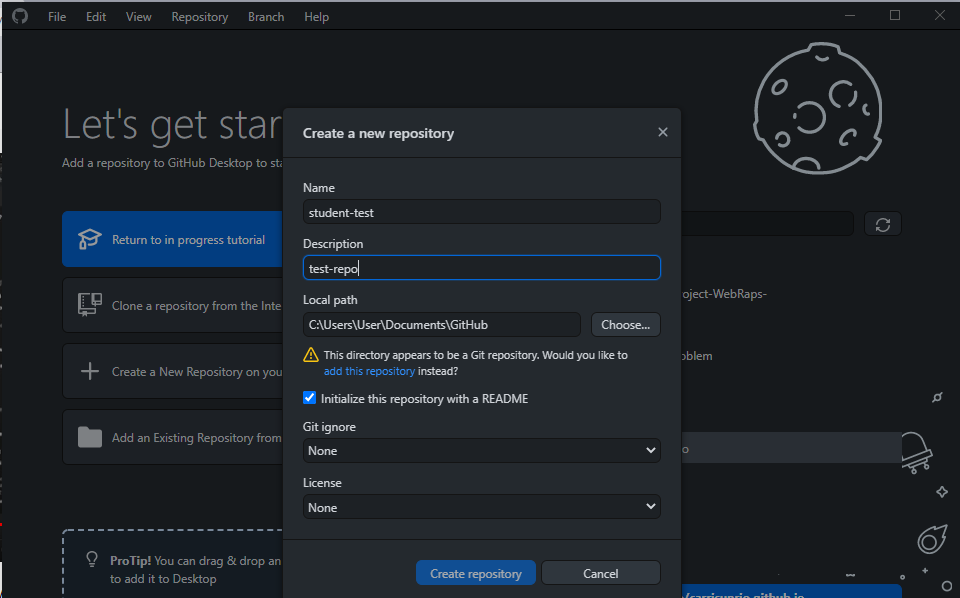
Sometimes the repo is already being managed by Git which results in this type of error . It's important to remember here that this is certainly not the only way to create a repository .
You can create a folder at any path according to your choice and navigate to that using vscode or you can go inside the folder and open vscode by right clicking on it.Then initiate the git within it .
You can find a Comprehensive Guide about it Here
You can checkout following tutorials for using the github in terminal
If you are trying to use Github Desktop unofficially in ubuntu ,Please keep in mind it won't let you sign-in.

Make sure you have named your main html file as index.html.
to be written...
- Make sure you have linked your
cssfile tohtmlfile . - Make sure there's no spelling mistakes like
stylesheets. - Make sure the relative path is same .
for example :
If both html and css files are in same folder then it should be like
<link rel="stylesheet" href="style.css">
if the css file in css folder then it should be like
<link rel="stylesheet" href="/css/style.css">
- It may be happening due to browser's already cached css . So to reload the css, enter
CTRL+F5or try viewing the site in different browser or incognito mode .
- If you are using windows then try removing the
type = text/javascriptfrom script tag.
<script src="app.js"></script>
Make sure you are using only name of the callback function without the "()"
btnTranslate.addEventListener("click", clickHandler)

- first make sure it is not 429 error by going through console.
- Then make sure there is no unnecessary space or character in
?text= - fetch url must be looking similar to below url
https://api.funtranslations.com/translate/minion.json?text=