Skip to content

Instantly share code, notes, and snippets.

View nidr0x's full-sized avatar
🎯
πŸ’­

Carlos nidr0x

🎯
πŸ’­
  • Abbott
  • Valencia (Spain)
View GitHub Profile
@0xDVC
0xDVC / guide.md
Last active February 17, 2026 15:46
Medium-anti-member-only script for Safari browsers on macOS and iOS

medium-anti-member-only script for Safari browsers on macOS and iOS

i have enjoyed using this version by AmoabaKelvin/Medium-Anti-Member-Only on my laptop for a while now. it works well on chromium and firefox browsers. however, i found it exhausting to have to manually do it on mobile browser(safari) every single time. just had the last of it and whipped this up. you'd need an extension app for safari that supports tampermonkey or greasemonkey really. chose to go with Addons. the attached script is found below this guide.

installation on macOS

  1. install Addons - Scripts & Adblock
  2. toggle to enable the 'Scripts' option. you can disable other options there if you have no need of it.
  3. open the scripts option and click the '+' button at the top right corner of the window to add script.
@shikelong
shikelong / .zshrc
Last active April 11, 2024 01:26
🐳 My MacOS Development Env Setup
# Enable Powerlevel10k instant prompt. Should stay close to the top of ~/.zshrc.
# Initialization code that may require console input (password prompts, [y/n]
# confirmations, etc.) must go above this block; everything else may go below.
if [[ -r "${XDG_CACHE_HOME:-$HOME/.cache}/p10k-instant-prompt-${(%):-%n}.zsh" ]]; then
source "${XDG_CACHE_HOME:-$HOME/.cache}/p10k-instant-prompt-${(%):-%n}.zsh"
fi
# If you come from bash you might have to change your $PATH.
export PATH=$HOME/bin:/usr/local/bin:$PATH
@sbailliez
sbailliez / vagrant-vmware-tech-preview-apple-m1-pro.md
Last active May 23, 2025 19:01
Vagrant and VMWare Tech Preview 21H1 on Apple M1 Pro

Vagrant and VMWare Tech Preview 21H1 on Apple M1 Pro

UPDATE November 20, 2022: VMWare Fusion 13

VMWare Fusion 13 is now released. Read Vagrant and VMWare Fusion 13 Player on Apple M1 Pro for the latest.

Summary

This document summarizes notes taken while to make the VMWare Tech preview work on Apple M1 Pro, it originated

# Namespace / Service
- A pod can access a service in its own namespace by just using service name.
A pod can access a service in a different namespace by using below format.
<svc-name>.<ns-name>.<svc>.<cluster.local>
e.g db-service.dev.svc.cluster.local
- When a service is created, a DNS entry is added automatically in this format:
db-service.dev.svc.cluster.local
Here db-service is service name, dev is namespace, svc represents service and cluster.local is domain.
@ctsrc
ctsrc / README.md
Last active March 10, 2026 11:23 — forked from niw/README.en.md
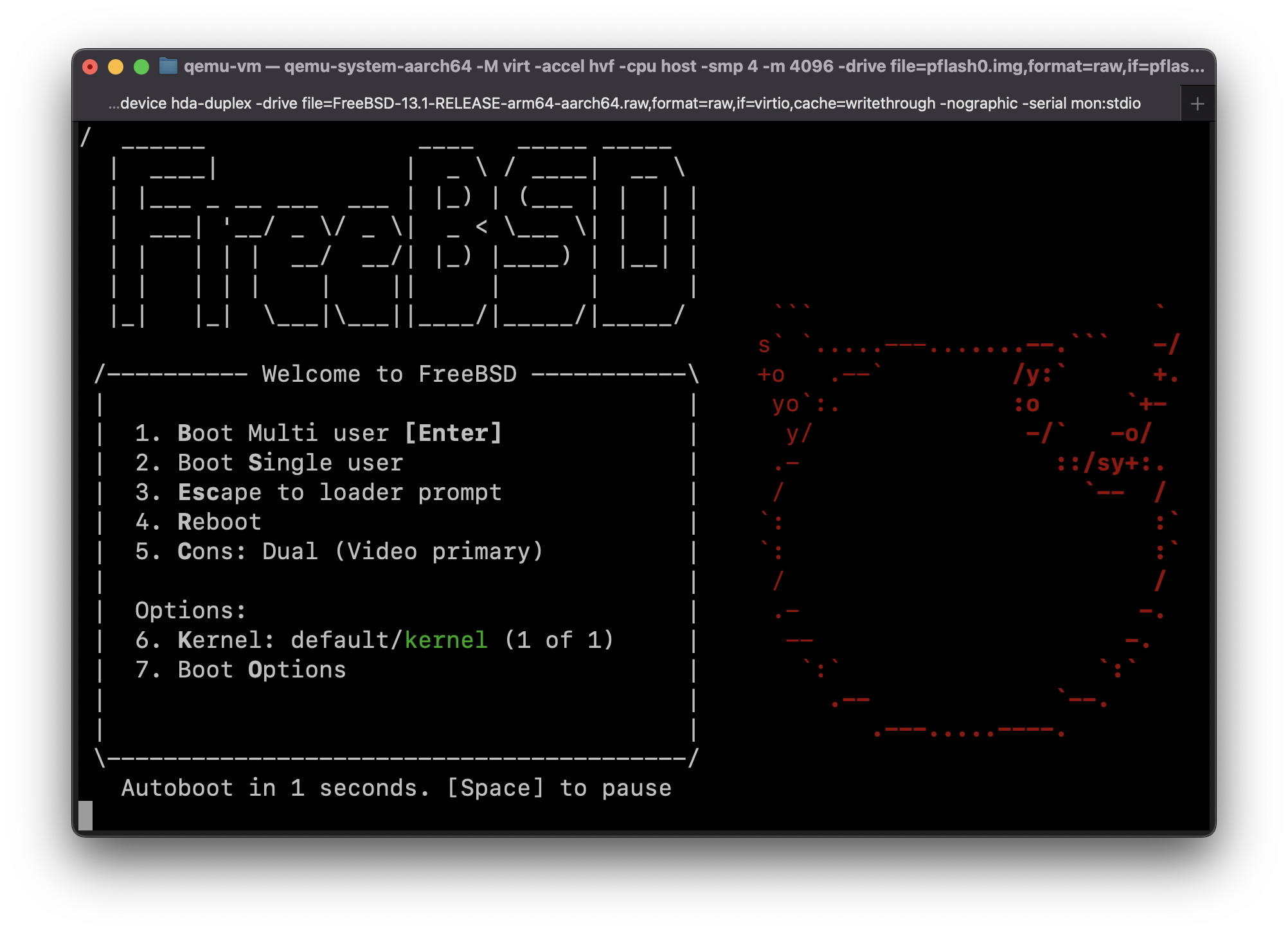
Guide: Run FreeBSD 13.1-RELEASE for ARM64 in QEMU on Apple Silicon Mac (MacBook Pro M1, etc) with HVF acceleration (Hypervisor.framework)
{
"annotations": {
"list": [
{
"builtIn": 1,
"datasource": "-- Grafana --",
"enable": true,
"hide": true,
"iconColor": "rgba(0, 211, 255, 1)",
"name": "Annotations & Alerts",
@progrium
progrium / README.md
Last active July 19, 2025 19:41
Setting up M1 Macs for x86 development with Homebrew

Key Points

  • In general, binaries built just for x86 architecture will automatically be run in x86 mode
  • You can force apps in Rosetta 2 / x86 mode by right-clicking app, click Get Info, check "Open using Rosetta"
  • You can force command-line apps by prefixing with arch -x86_64, for example arch -x86_64 go
  • Running a shell in this mode means you don't have to prefix commands: arch -x86_64 zsh then go or whatever
  • Don't just immediately install Homebrew as usual. It should most likely be installed in x86 mode.

Homebrew

Not all toolchains and libraries properly support M1 arm64 chips just yet. Although

@FreddieOliveira
FreddieOliveira / docker.md
Last active March 10, 2026 11:18
This tutorial shows how to run docker natively on Android, without VMs and chroot.

Docker on Android πŸ‹πŸ“±

Edit πŸŽ‰

All packages, except for Tini have been added to termux-root. To install them, simply pkg install root-repo && pkg install docker. This will install the whole docker suite, left only Tini to be compiled manually.


Summary

@tajnymag
tajnymag / tinder.user.js
Last active December 2, 2025 16:42
Tinder Deblur Userscript (ARCHIVED and DEPRECATED, see https://github.com/tajnymag/tinder-deblur)
// ==UserScript==
// @name Tinder Deblur
// @namespace Violentmonkey Scripts
// @match https://tinder.com/*
// @grant none
// @version 1.4
// @author Tajnymag
// @downloadURL https://raw.githubusercontent.com/tajnymag/tinder-deblur/main/tinder.user.js
// @description Simple script using the official Tinder API to get clean photos of the users who liked you
// ==/UserScript==
@minamijoyo
minamijoyo / hoge.rb
Last active January 27, 2026 08:45
Using GitHubPrivateRepositoryReleaseDownloadStrategy removed in brew v2
require "formula"
require_relative "lib/private_strategy"
class Hoge < Formula
homepage "https://github.com/yourcompany/hoge"
url "https://github.com/yourcompany/hoge/releases/download/v0.1.0/hoge_v0.1.0_darwin_amd64.tar.gz", :using => GitHubPrivateRepositoryReleaseDownloadStrategy
sha256 "6de411ff3e4b1658a413dd6181fcXXXXXXXXXXXXXXXXXXXX"
head "https://github.com/yourcompany/hoge.git"
version "0.1.0"