You need to join Windows Insiders Program because you need WSL 2

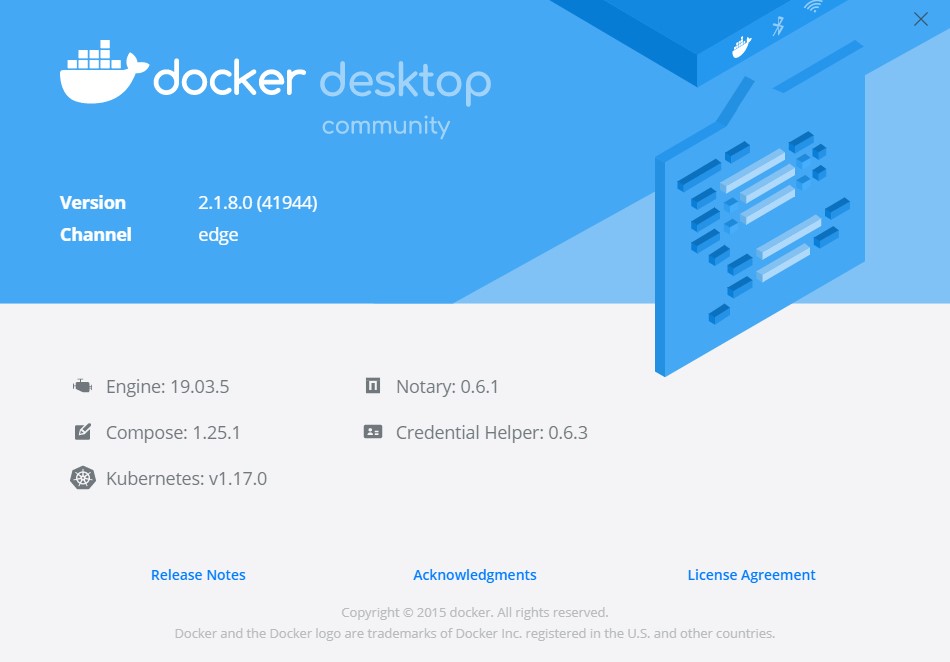
You need to download a specific version of Docker Desktop: https://download-stage.docker.com/win/edge/41944/Docker%20Desktop%20Installer.exe which allows to install on Windows 10 Home.


| function Git-Worktree { | |
| [CmdletBinding()] | |
| Param( | |
| [Parameter(Mandatory=$true)] | |
| [string]$BranchName, | |
| [Parameter(Mandatory=$false)] | |
| [switch]$Delete, | |
| [Parameter(Mandatory=$false)] | |
| [switch]$Current | |
| ) |
| ############################################################################### | |
| # Set default behavior to automatically normalize line endings. | |
| ############################################################################### | |
| * text=auto | |
| # Never modify line endings of dib files | |
| *.dib text eol=lf |
| ############################################################################### | |
| # Set default behavior to automatically normalize line endings. | |
| ############################################################################### | |
| * text=auto | |
| # Never modify line endings of dib files | |
| *.dib text eol=lf |
| ############################################################################### | |
| # Set default behavior to automatically normalize line endings. | |
| ############################################################################### | |
| * text=auto | |
| # Never modify line endings of dib files | |
| *.dib text eol=lf |
| const foo1 = (a: string): number => | |
| { | |
| console.log('foo1', {a}); | |
| return a.length; | |
| } | |
| const foo2 = (a: string, b: number): number => { | |
| console.log('foo2', {a, b}); | |
| return a.length + b; | |
| } |
| SwitchToWindowsTerminal() | |
| { | |
| windowHandleId := WinExist("ahk_exe WindowsTerminal.exe") | |
| windowExistsAlready := windowHandleId > 0 | |
| ; If the Windows Terminal is already open, determine if we should put it in focus or minimize it. | |
| if (windowExistsAlready = true) | |
| { | |
| activeWindowHandleId := WinExist("A") | |
| windowIsAlreadyActive := activeWindowHandleId == windowHandleId |
| javascript: (function() { | |
| var key = window.localStorage.getItem('adal.token.keys').split('|')[0]; | |
| var token = window.localStorage.getItem('adal.access.token.key' + key); | |
| if (token) { | |
| /*window.prompt("Copy to clipboard: Ctrl+C, Enter", token);*/ | |
| sendToClipbord(token); | |
| } | |
| function sendToClipbord(myString) { | |
| var textarea = document.createElement('textarea'); | |
| document.body.appendChild(textarea); |
You need to join Windows Insiders Program because you need WSL 2
You need to download a specific version of Docker Desktop: https://download-stage.docker.com/win/edge/41944/Docker%20Desktop%20Installer.exe which allows to install on Windows 10 Home.
| syntax on | |
| " pokazuje menu z lista plikow itp | |
| set wildmenu | |
| "sam zmienia katalogi na te w kotrych edytuje pliki | |
| set autochdir | |
| set autoindent | |
| set history=1000 |