
Last active
July 1, 2020 19:00
-
-
Save frijole/09fbb1891105f85ec6418630fa1bd567 to your computer and use it in GitHub Desktop.
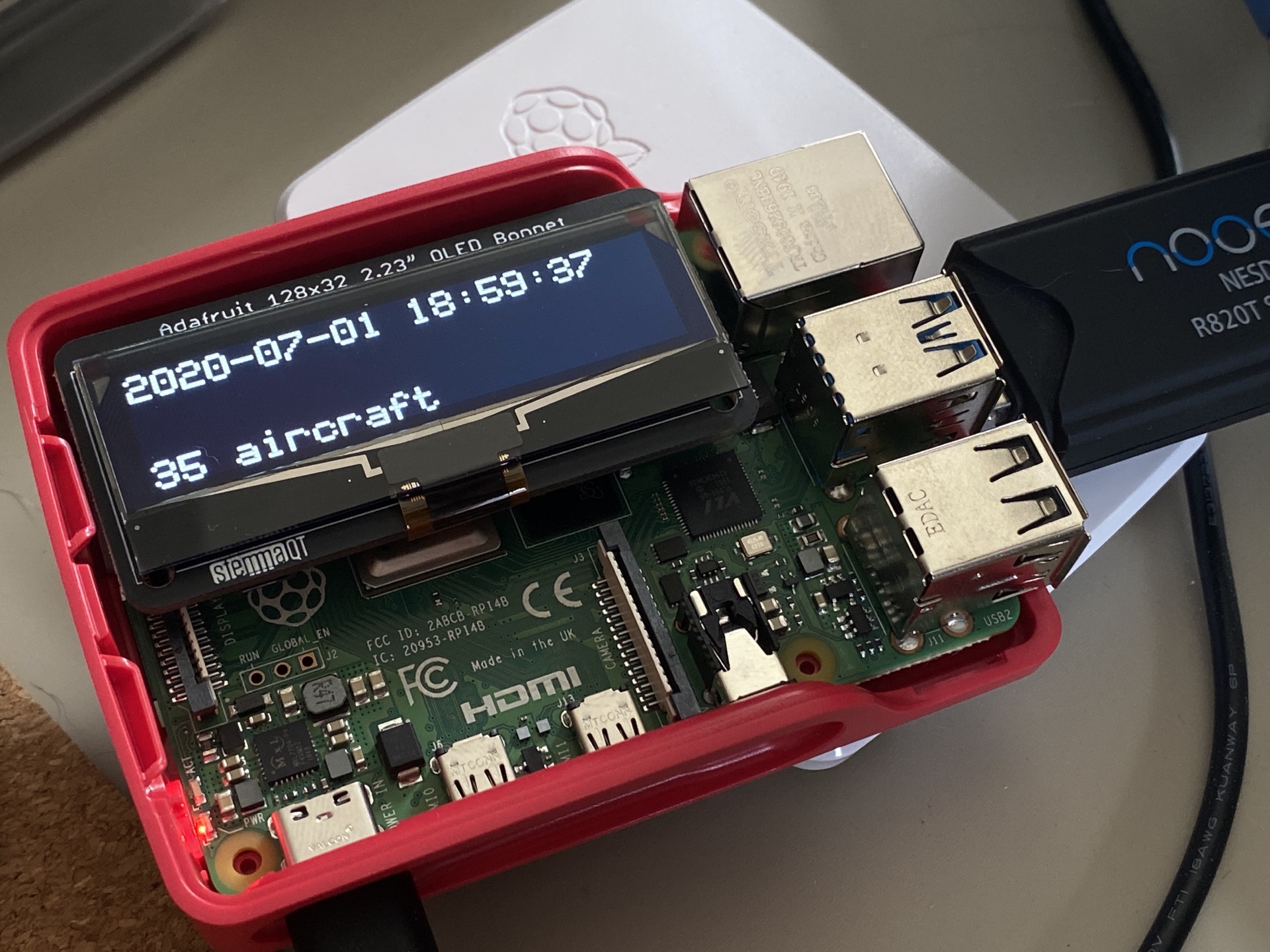
how many planes? roughly based on sample code from adafruit's library for talking to the oled hat
This file contains hidden or bidirectional Unicode text that may be interpreted or compiled differently than what appears below. To review, open the file in an editor that reveals hidden Unicode characters.
Learn more about bidirectional Unicode characters
| import time | |
| import subprocess | |
| from board import SCL, SDA | |
| import busio | |
| from PIL import Image, ImageDraw, ImageFont | |
| import adafruit_ssd1305 | |
| import urllib.request, json | |
| import sys | |
| import datetime | |
| # Create the I2C interface. | |
| i2c = busio.I2C(SCL, SDA) | |
| # Create the SSD1305 OLED class. | |
| # The first two parameters are the pixel width and pixel height. Change these | |
| # to the right size for your display! | |
| disp = adafruit_ssd1305.SSD1305_I2C(128, 32, i2c) | |
| # Clear display. | |
| disp.fill(0) | |
| disp.show() | |
| # Create blank image for drawing. | |
| # Make sure to create image with mode '1' for 1-bit color. | |
| width = disp.width | |
| height = disp.height | |
| image = Image.new("1", (width, height)) | |
| # Get drawing object to draw on image. | |
| draw = ImageDraw.Draw(image) | |
| # Draw a black filled box to clear the image. | |
| draw.rectangle((0, 0, width, height), outline=0, fill=0) | |
| # Draw some shapes. | |
| # First define some constants to allow easy resizing of shapes. | |
| padding = 0 | |
| top = padding | |
| bottom = height - padding | |
| # Move left to right keeping track of the current x position for drawing shapes. | |
| x = 1 | |
| # Load default font. | |
| # font = ImageFont.load_default() | |
| font = ImageFont.truetype('./fonts/5x7-coders-crux.ttf', 16) | |
| while True: | |
| # Grab data | |
| url = "http://localhost:80/tar1090/data/aircraft.json" | |
| response = urllib.request.urlopen(url) | |
| data = json.load(response) | |
| planes = data["aircraft"] | |
| aircraftResult = "{count} aircraft".format(count=len(planes)) | |
| # Clear the image. | |
| draw.rectangle((0, 0, width, height), outline=0, fill=0) | |
| lineOne = '{0:%Y-%m-%d %H:%M:%S}'.format(datetime.datetime.now()) | |
| lineTwo = "" | |
| lineThree = aircraftResult | |
| draw.text((x, top + 1), lineOne, font=font, fill=255) | |
| draw.text((x, top + 13), lineTwo, font=font, fill=255) | |
| draw.text((x, top + 25), lineThree, font=font, fill=255) | |
| # Display image. | |
| disp.image(image) | |
| disp.show() | |
| time.sleep(0.1) |

Author
frijole
commented
Jul 1, 2020
Sign up for free
to join this conversation on GitHub.
Already have an account?
Sign in to comment