
Script to get new IP addresses in JDownloader by reconnecting Private Internet Access.
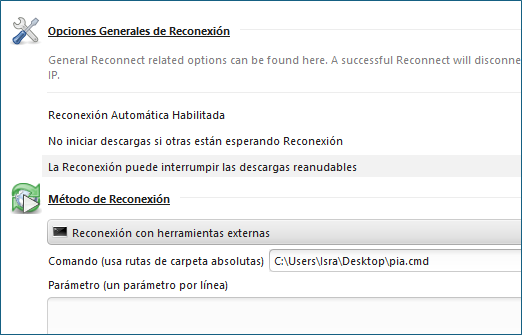
- Go to Settings -> Reconnect
- Tick all three checkboxes.
- Set method to
External Batch Reconnect - Set interpreter to
cmd /c - Set script to
piactl.exe background enable
timeout 3
piactl.exe disconnect
piactl.exe connect- Set application folder to
C:\Program Files\Private Internet Access
- Go to Settings -> Reconnect
- Tick all three checkboxes.
- Set method to
External Batch Reconnect - Set interpreter to
/bin/bash -c - Set script to
./piactl background enable
./piactl disconnect
./piactl connect- Set application folder to
/usr/local/bin



According to pia
so it should suffice to remove the .exe from piactl.exe
Instead of
timeout 3I would trysleep 3. I don't use Mac, but only Linux and Windows. I don't know what the default shell is, but if you have issues, maybe try explicitly calling sleep via bash: something like/bin/bash -c "sleep 3"