
Welcome! This guide will walk you through testing Leeway's new multi-bank account feature. You'll connect two test bank accounts and verify that insights are generated correctly.
- iPhone with Leeway version 1.3.1 from TestFlight installed
- About 10-15 minutes
- This guide open for reference
When connecting bank accounts, you'll be asked to select a test user. The password can be any string (e.g., 1234, test, asdf — it doesn't matter).
You'll connect two different test users (these simulate different bank accounts):
- First account:
user_yuppie - Second account:
user_small_business
- Open the Leeway app from TestFlight (make sure it's version 1.3.1)
- Sign in with your account (or create one if needed)
- Tap on "Connect Bank" or navigate to bank settings
- You'll see the Plaid connection screen
- Search for and select "First Gingham Credit Union" (this is Plaid's test bank)
- You'll see a login screen like this:
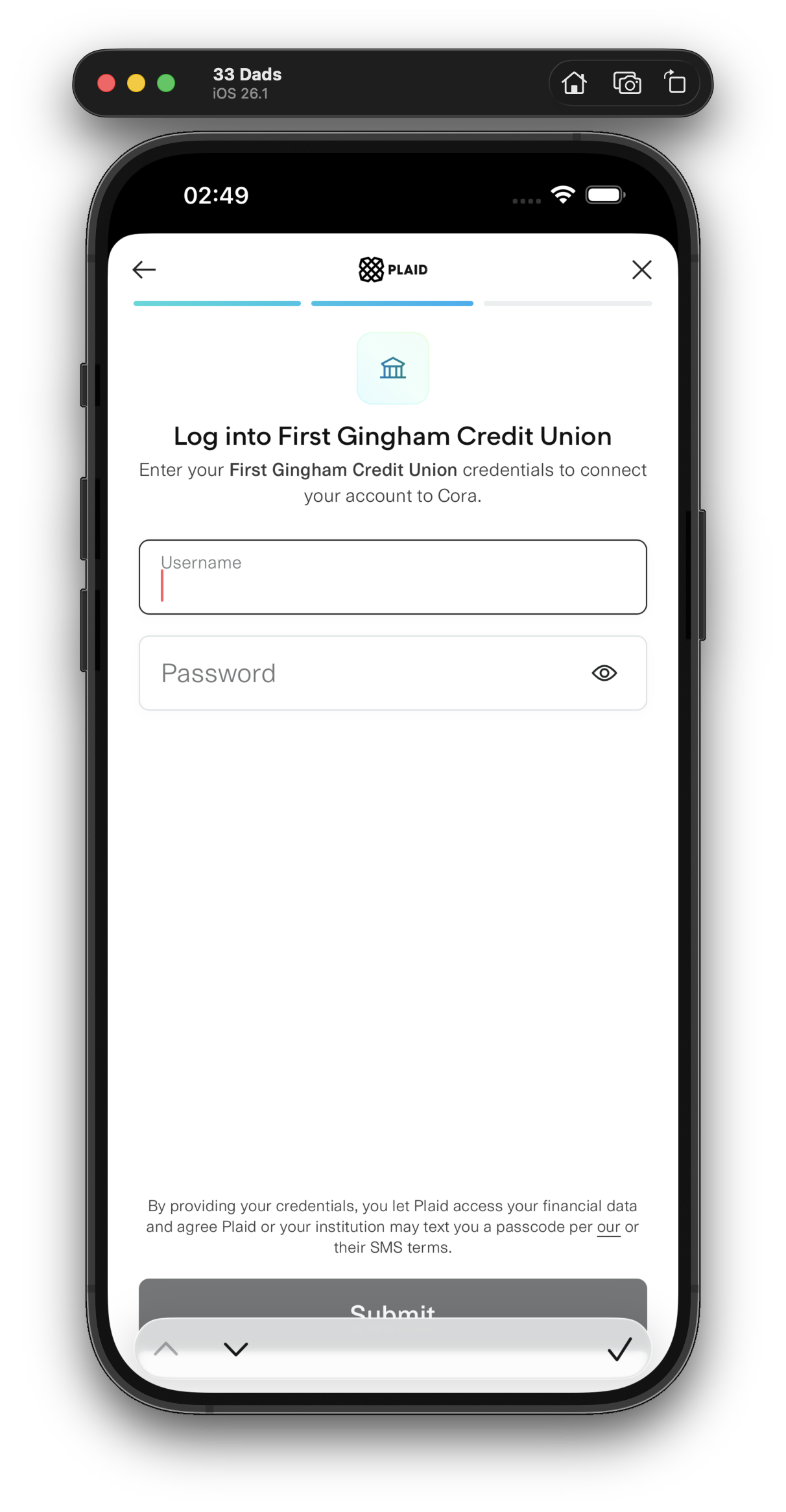
- Enter
user_yuppieas the Username - Enter any password (e.g.,
1234) - Tap Submit
- Complete the connection flow
- Wait for transactions to sync (you'll see a loading indicator)
- You should see transactions appearing in the app
- Wait for insights to generate (this may take 1-2 minutes)
- Once insights appear, take a screenshot of:
- Your yearly spending total
- The insights card on the home screen
- Go to bank/account settings
- Tap "Add Another Bank" or "+"
- Again select "First Gingham Credit Union"
- Important: You'll see your previous username pre-filled. Tap "Log in with different credentials" at the bottom:
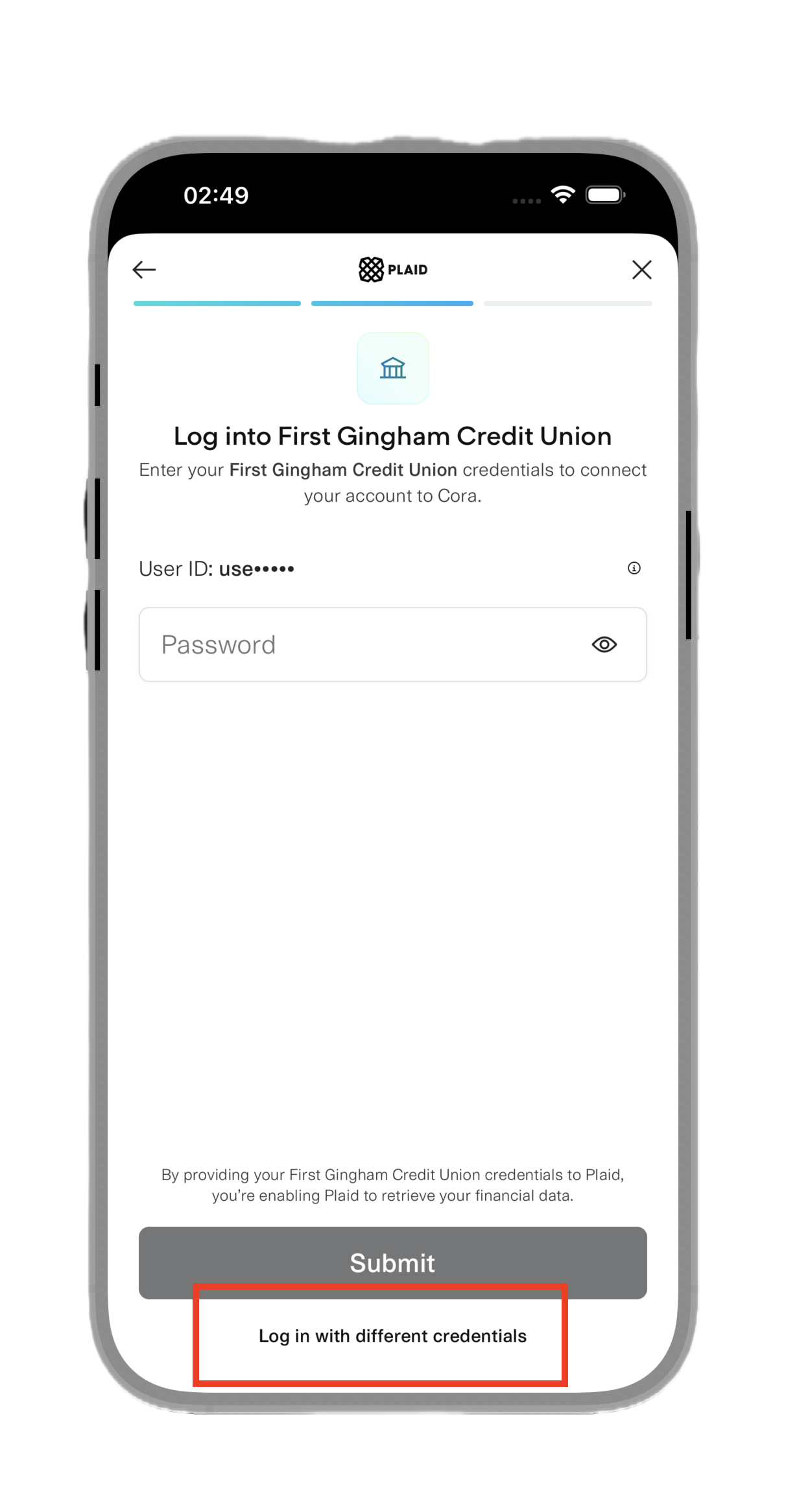
- Enter
user_small_businessas the Username - Enter any password (e.g.,
1234) - Tap Submit
- Complete the connection flow
After connecting the second account, you should see:
- "Updating insights..." overlay appears on the insights card
- The overlay should show "Adding transactions from new account"
- After 1-2 minutes, new insights should appear with combined data from both accounts
Please take screenshots of:
- Home screen showing the insights card
- Yearly spending view with the combined total
- Connected banks list showing both accounts
- Any insights that were generated
Please send us:
- Screenshots of the items listed above
- Your yearly spending total (the dollar amount shown)
- Number of insights generated (how many insight cards do you see?)
- Any issues encountered (errors, crashes, confusing UI, etc.)
- This should clear automatically when the second account is connected
- If it persists after both accounts are connected, please report it
- Wait up to 2 minutes for the sync to complete
- If the "Updating insights..." overlay disappears but insights look the same, please report it