

- Markdown style
[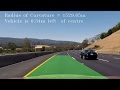](https://youtu.be/nTQUwghvy5Q)- HTML style
<a href="http://www.youtube.com/watch?feature=player_embedded&v=nTQUwghvy5Q" target="_blank">
| * { margin: 0; padding: 0; } | |
| abbr,acronym,blockquote,code,dir,kbd,listing,plaintext,q,samp,tt,var,xmp { hyphens: none; } | |
| html { | |
| padding: 2em; | |
| font: normal 18px/1.25 Source Sans Pro, sans-serif; | |
| color: #000; | |
| hyphens: auto; |
| //Copyright (c) 2014 Tilman Schmidt (@KeyMaster_) | |
| //Permission is hereby granted, free of charge, to any person obtaining a copy | |
| //of this software and associated documentation files (the "Software"), to deal | |
| //in the Software without restriction, including without limitation the rights | |
| //to use, copy, modify, merge, publish, distribute, sublicense, and/or sell | |
| //copies of the Software, and to permit persons to whom the Software is | |
| //furnished to do so, subject to the following conditions: | |
| //The above copyright notice and this permission notice shall be included in |
| uniform float speed; | |
| uniform float stepsize; | |
| uniform float amount; | |
| float4 mainImage(VertData v_in) : TARGET | |
| { | |
| float time = elapsed_time*speed; | |
| float glitch = 0; | |
| if( frac(sin(time) * cos(v_in.uv.y*sin(time*1.45))) > amount) glitch=stepsize; |
| <div aria-busy="true" aria-label="Loading" role="progressbar" class="container"> | |
| <div class="swing"> | |
| <div class="swing-l"></div> | |
| <div></div> | |
| <div></div> | |
| <div></div> | |
| <div></div> | |
| <div></div> | |
| <div class="swing-r"></div> | |
| </div> |
| /* | |
| -How to use Custom CSS for the Gamepad Viewer- | |
| http://mrmcpowned.com/gamepad | |
| Enabling a custom CSS is as easy as adding &css=[url to css file] | |
| to the end of the url like so: | |
| http://mrmcpowned.com/gamepad?p=1&css=https://gist.github.com/anonymous/526491dc02014099cd14/raw/d7bb0477ba984f794497f3f0f82cb33484dc7889/ps3.css | |
| If you're going to be using custom CSS for the gamepad viewer | |
| to design your own skin, we're assuming you have some sort of |
Use these rapid keyboard shortcuts to control the GitHub Atom text editor on macOS.
| { | |
| "alfredtheme" : { | |
| "result" : { | |
| "textSpacing" : 5, | |
| "subtext" : { | |
| "size" : 10, | |
| "colorSelected" : "#FEFFFEC4", | |
| "font" : "System", | |
| "color" : "#C6C6C665" | |
| }, |
| Key/Command | Description |
|---|---|
| Tab | Auto-complete files and folder names |
| Ctrl + A | Go to the beginning of the line you are currently typing on |
| Ctrl + E | Go to the end of the line you are currently typing on |
| Ctrl + U | Clear the line before the cursor |
| Ctrl + K | Clear the line after the cursor |
| Ctrl + W | Delete the word before the cursor |
| Ctrl + T | Swap the last two characters before the cursor |