Skip to content

Instantly share code, notes, and snippets.

@barthap
Created September 22, 2020 08:45
Show Gist options
  • Select an option

  • Save barthap/362fc5609e7dc42d8e81f7e4cff18144 to your computer and use it in GitHub Desktop.

Select an option

Save barthap/362fc5609e7dc42d8e81f7e4cff18144 to your computer and use it in GitHub Desktop.
Tabs component in React, works in mdx-js

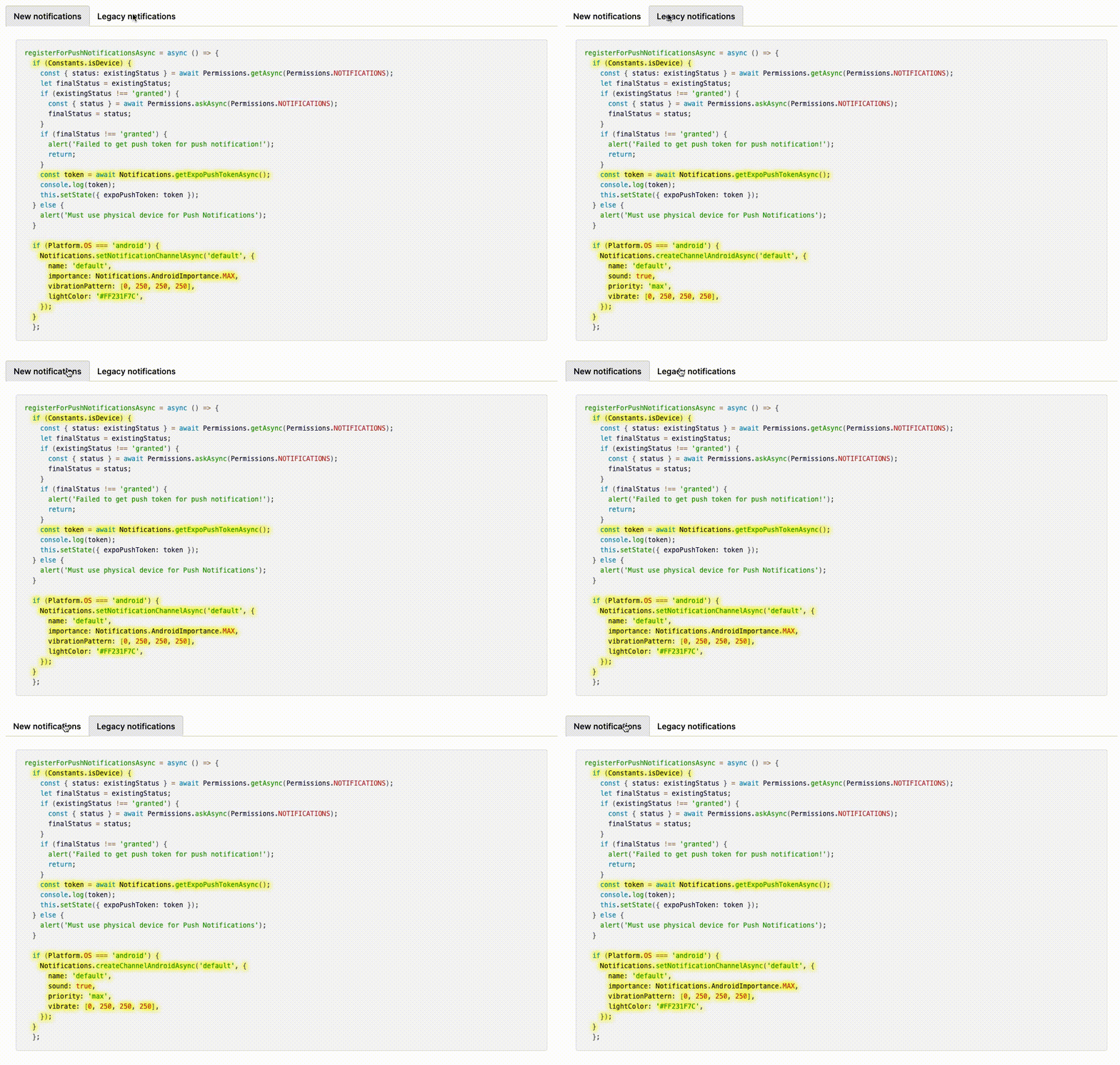
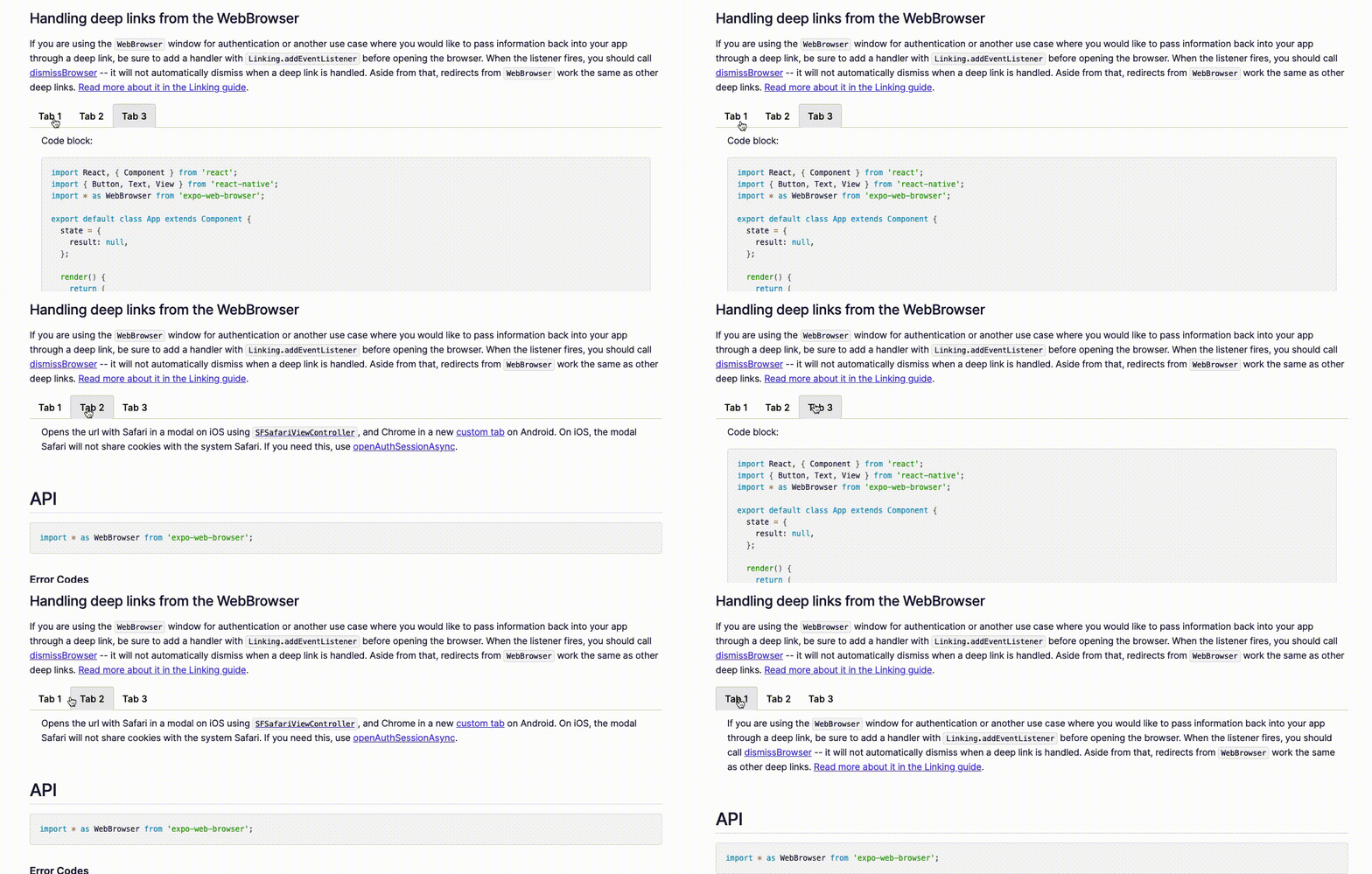
Demo

tabs1

tabs2


Usage:

import { Tab, Tabs } from '~/components/plugins/Tabs';

// ...

<Tabs>
  <Tab label="First tab">First tab content</Tab>
  <Tab label="Second tab">Lorem ipsum</Tab>
</Tabs>

Implementation:

import { css } from 'emotion';
import React from 'react';

import * as Constants from '~/common/constants';

const STYLES_TAB_CONTAINER = css``;
const STYLES_TAB_CONTENT = css`
  padding: 10px 20px;
`;

const STYLES_TAB_LIST = css`
  border-bottom: 1px solid #ccc;
  padding-left: 0;
`;

const STYLES_TAB_LIST_ITEM = css`
  display: inline-block;
  list-style: none;
  margin-bottom: -1px;
  padding: 10px 15px;
  font-family: ${Constants.fontFamilies.demi};
  :hover {
    cursor: pointer;
  }
`;

const STYLES_TAB_LIST_ACTIVE = css`
  background-color: white;
  border: solid #ccc;
  border-bottom: 0px;
  border-width: 1px 1px 0 1px;
  background: ${Constants.expoColors.gray[200]};
  border-radius: 4px;
`;

const TabButton = ({ activeTab, label, onClick }) => {
  const handleClick = () => onClick(label);

  const classNames = [STYLES_TAB_LIST_ITEM];
  if (activeTab === label) {
    classNames.push(STYLES_TAB_LIST_ACTIVE);
  }

  return (
    <li className={classNames.join(' ')} onClick={handleClick}>
      {label}
    </li>
  );
};

/**
 * Dummy emelent, needed for `<Tabs/>` component to work properly
 */
export const Tab = ({ children }) => children;

/**
 * @example
 * <Tabs>
 *   <Tab label="Tab1">Tab 1 content...</Tab>
 *   <Tab label="Tab2">Tab 2 content...</Tab>
 * </Tabs>
 */
export const Tabs = ({ children }) => {
  const [activeTab, setActiveTab] = React.useState(children[0].props.label);

  return (
    <div className={STYLES_TAB_CONTAINER}>
      <ol className={STYLES_TAB_LIST}>
        {children.map(child => {
          const { label } = child.props;
          return (
            <TabButton activeTab={activeTab} key={label} label={label} onClick={setActiveTab} />
          );
        })}
      </ol>
      <div className={STYLES_TAB_CONTENT}>
        {children.map(child => {
          if (child.props.label !== activeTab) {
            return;
          }
          return child.props.children;
        })}
      </div>
    </div>
  );
};
@barthap
Copy link
Author

barthap commented Jan 15, 2022

Hi,

Try separating tags with double newlines, e.g.

<Tab>

<code>your code or other tags here</code>

</Tab>

Honestly, I don't know if it still works with MDX though. About a year ago it was used on this website for code examples, but then it most likely was updated in some way. You can see the website source code here, the page I linked is under pages/guides/authentication.md and the Tab component is under components/plugins/Tabs.js.

@tridentic
Copy link

@barthap Hey, love your implementation. I edited a version of it using tailwind.

This looks somewhat like this, not exactly.
image

"use client";
import React from "react";

const TabButton = ({ activeTab, label, onClick }: { activeTab: string; label: string; onClick: (label: string) => void; }) => {
  const handleClick = () => onClick(label);

  return (
    <li onClick={handleClick} className="">
      <div
        className={`inline-block list-none py-2 px-2 cursor-pointer border-b-[1.5px] font-semibold transition-all duration-150  text-sm ${
          activeTab === label
            ? "border-blue-500 text-blue-500 text-primary"
            : "border-transparent text-muted-foreground hover:text-primary"
        }`}
      >
        {label}
      </div>
    </li>
  );
};

/**
 * Dummy element, needed for `<Tabs/>` component to work properly
 */
export const Tab = ({ children }: {children: any}) => children;

/**
 * @example
 * <Tabs>
 *   <Tab label="Tab1">Tab 1 content...</Tab>
 *   <Tab label="Tab2">Tab 2 content...</Tab>
 * </Tabs>
 */
export const Tabs = ({ children }: {children: any}) => {
  const [activeTab, setActiveTab] = React.useState(children[0].props.label);

  return (
    <div className="flex flex-col gap-0 mt-4 rounded-lg border border-border overflow-hidden">
      <div>
        <ol className="flex bg-gray-200 dark:bg-muted px-2 pb-0">
          {children.map((child: any) => {
            const { label } = child.props;
            return (
              <TabButton
                activeTab={activeTab}
                key={label}
                label={label}
                onClick={setActiveTab}
              />
            );
          })}
        </ol>
        <div className="overflow-hidden">
          {children.map((child: any) => {
            if (child.props.label !== activeTab) {
              return;
            }
            return child.props.children;
          })}
        </div>
      </div>
    </div>
  );
};

@barthap
Copy link
Author

barthap commented Mar 29, 2025

@barthap Hey, love your implementation. I edited a version of it using tailwind.

Haha, thank you. My gist is really old, I even forgot it existed 😅 I'm glad you found it helpful and thanks for sharing Tailwind version

Sign up for free to join this conversation on GitHub. Already have an account? Sign in to comment