
For that I use the Discord API for python which is normally used to control a bot but which I used to control my Discord account.Thanks to that I could send message on discord with an simple python script. For that you must run the bot with your discord account's token and add Bot=False when you launch the client with yourBot.run("your Tokken", bot = False. To get you discord account's token you just need to find it in the navigator windows on any search browser.
Then I use 3 ios apps to add it to Siri:
- Shortcuts
- LibTerm
- Scriptable
LibTerm is a free app that provides access to a command terminal. With that you can execute any python script on your phone and install and import libraries like Discord.py. Also it give you a block in Shorcuts to run any command.
Scriptable is an app that allows lots of stuff including execute one script on it form Shorcuts and add it to Siri. So with that you can create one shorcut which is execute with Siri. The next think i do is remove the scriptable block and replace it with the LibTerm block so i can execute my bot from Siri. If you launch a command from Shorcuts with LibTerm the folder use is $SHAREDDIR so you need to save you program in. you can create your program with edit yourProg.py.
After that I just have to find a way to add inputs to my script and it is done. The two inputs I need was the message and the recipient. They are a field inputs on the Scriptable block but I did find any way to access it so I add my inputs the command field and got them back in the script with sys.argv[1]. For it be easier to get them I put them in quotation marks so all the input became a single element. To send a private message on Discord used client.user.friends that give me the user of all my discord's friends in a list and I send them a message with user.dm_channel.send("your_message"). I had a problem with the timeout of Shorcuts, when you use on_ready() to wait the bot is ready and send the message that can take a few minutes before executing, So i use the function on_connect who dont wait that the bot is fully ready but execute when the bot is connected to discord so it take a lot less time and doesn't reach the timeout. The last problem I had was with pseudo, if someone has an unpronounceable pseudo like (ง ͡ʘ ͜ʖ ͡ʘ)ง or somethings like that you wont be able to say it to Siri. For that i create an dictionary with the name i will say at Siri for key and the pseudo for value. Then with a single boucle i find the user i want and send him my message.
There is a problem to this way to do because if two of your friend have the same pseudo it will take the last in the boucle. To counter that you could use ["pseudo","number id"] for value in the dictionary and do a double test but for me it wasn't necessary.

- add script in LibTerm
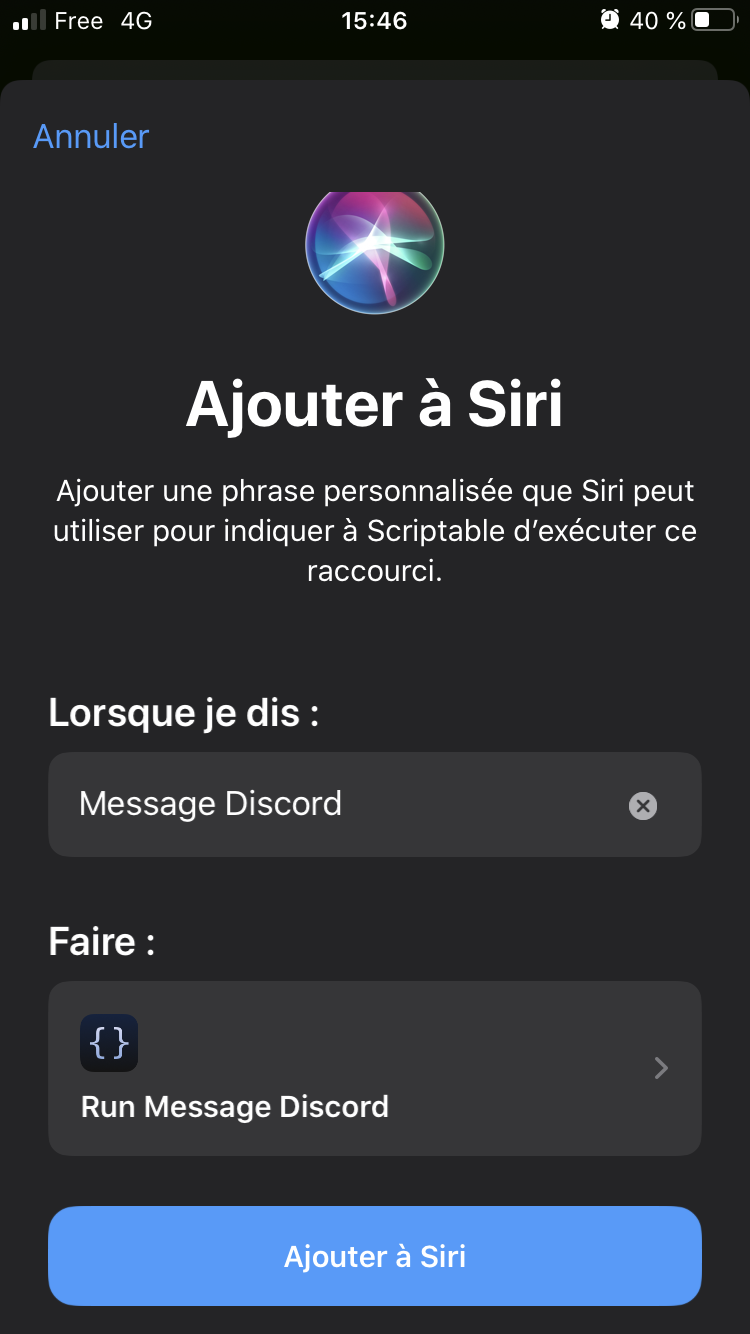
- add to Siri in Scriptable
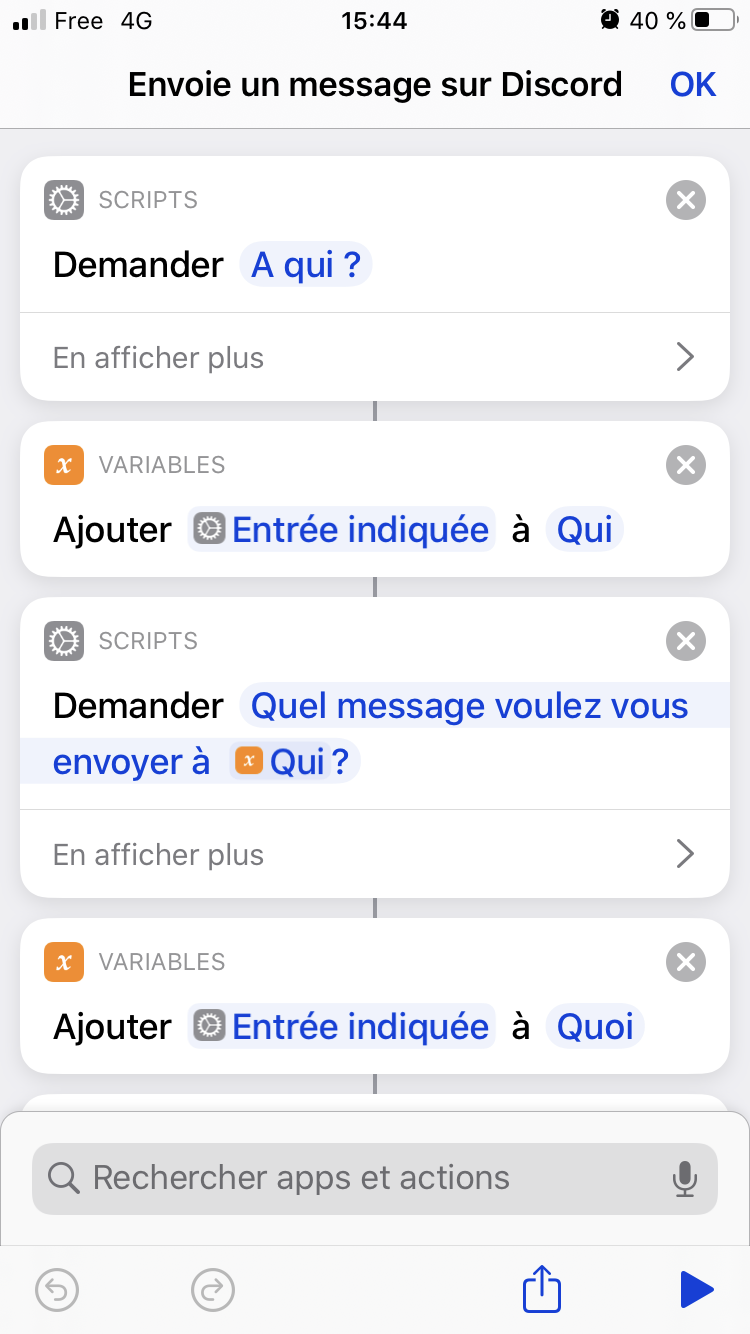
- ask for inputs in Shorcuts

- run script in Shorcuts