This extension plugin requires Alpha NET Z to work.
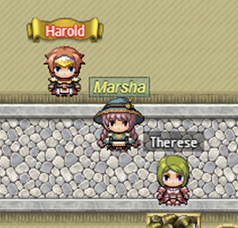
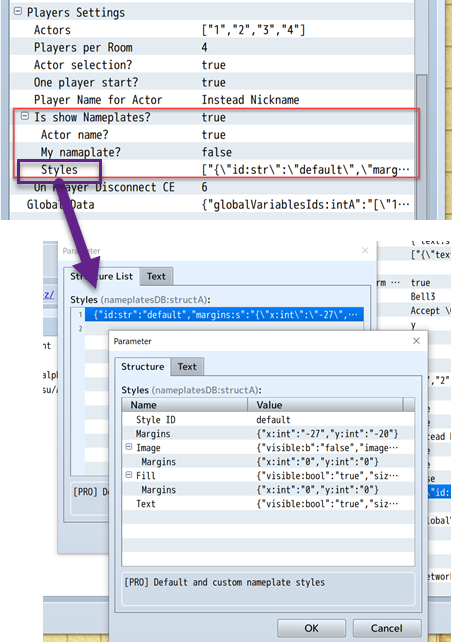
If you want to see a nameplate above your own character, set My nameplate? to true as well.
You can create and customize different nameplate styles to personalize the appearance of player nameplates.
-
Open the plugin parameters and navigate to the
Stylesparameter -
Add a new style entry
-
Configure the following properties:
- Style ID: A unique identifier for your style (e.g., "warrior", "mage", "default")
- Margins: Offset position of the nameplate relative to the character sprite
- Background Image: Optional image to use as the nameplate background
- Background Image Margins: Offset of the background image relative to the nameplate
- Fill: Background fill color and frame settings
- Fill Margins: Offset of the background fill relative to the nameplate
- Text: Text formatting settings (font, size, color, etc.)
To assign a style to a specific Actor, use the script call:
nAPI.setNameplateStyle(ACTOR_ID, STYLE_ID)Example:
nAPI.setNameplateStyle(1, "warrior")  // Assigns "warrior" style to Actor 1
nAPI.setNameplateStyle(2, "mage")     // Assigns "mage" style to Actor 2
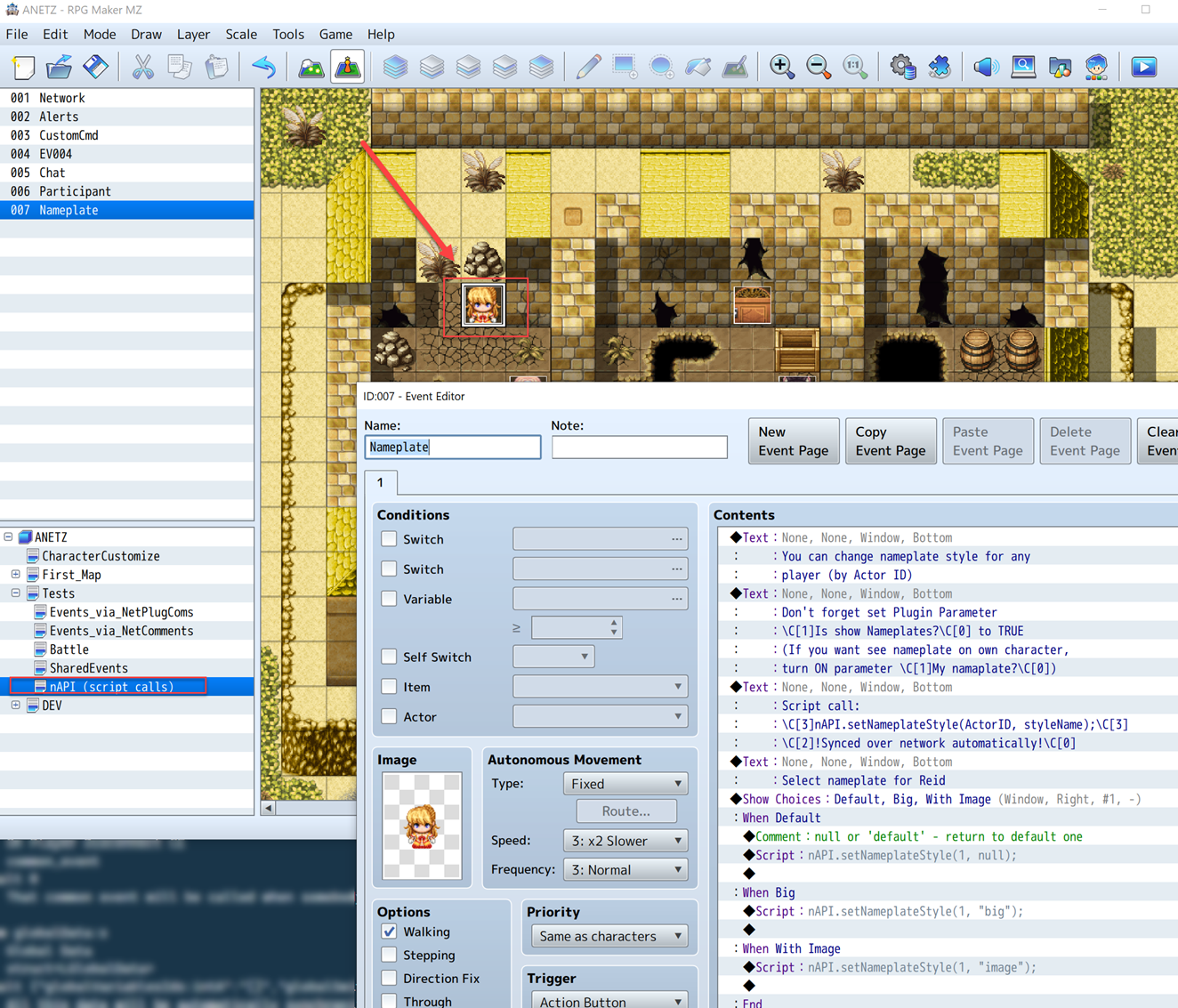
You can find an example event in the Demo project on the nAPI (script calls) map.