
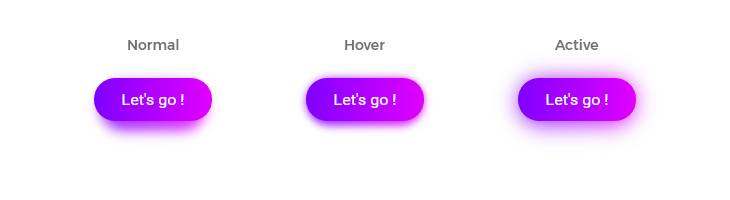
<button>Let's Go !</button>
tunguskha
/ Gradient shadow in pure CSS.md
Last active
October 12, 2024 17:02
Gradient shadow in pure CSS

AllThingsSmitty
/ proxy.js
Last active
August 29, 2015 14:17
Feature detection for proxy browsers that lie about their capabilities
This file contains hidden or bidirectional Unicode text that may be interpreted or compiled differently than what appears below. To review, open the file in an editor that reveals hidden Unicode characters.
Learn more about bidirectional Unicode characters
| // localStorage example | |
| var hasStorage = (function () { | |
| try { | |
| localStorage.setItem(mod, mod); | |
| localStorage.removeItem(mod); | |
| return true; | |
| } catch (exception) { | |
| return false; | |
| } | |
| }()); |

rlemon
/ glitch.user.js
Last active
August 29, 2015 14:13
This file contains hidden or bidirectional Unicode text that may be interpreted or compiled differently than what appears below. To review, open the file in an editor that reveals hidden Unicode characters.
Learn more about bidirectional Unicode characters
| (function() { | |
| "use strict"; | |
| setTimeout(glitch, Math.random() * 3e5); | |
| function col() { | |
| return '#' + (Math.random() * 100).toString(16).slice(-3) | |
| } | |
| function glitch() { | |
| var n = Math.floor(Math.random() * 4 + 4); |

⇐ back to the gist-blog at jrw.fi
Or, 16 cool things you may not have known your stylesheets could do. I'd rather have kept it to a nice round number like 10, but they just kept coming. Sorry.
I've been using SCSS/SASS for most of my styling work since 2009, and I'm a huge fan of Compass (by the great @chriseppstein). It really helped many of us through the darkest cross-browser crap. Even though browsers are increasingly playing nice with CSS, another problem has become very topical: managing the complexity in stylesheets as our in-browser apps get larger and larger. SCSS is an indispensable tool for dealing with this.
This isn't an introduction to the language by a long shot; many things probably won't make sense unless you have some SCSS under your belt already. That said, if you're not yet comfy with the basics, check out the aweso